Amazon eero 6+ Mesh WiFi System Review: Gigabit Speeds, Smart Home Integration, and Reliable Coverage
Evaluate the Amazon eero 6+ mesh WiFi system for gigabit speeds, 4,500 sq. ft. coverage, and smart home integration. Learn about its performance, compatibility, and suitability for modern home networks.
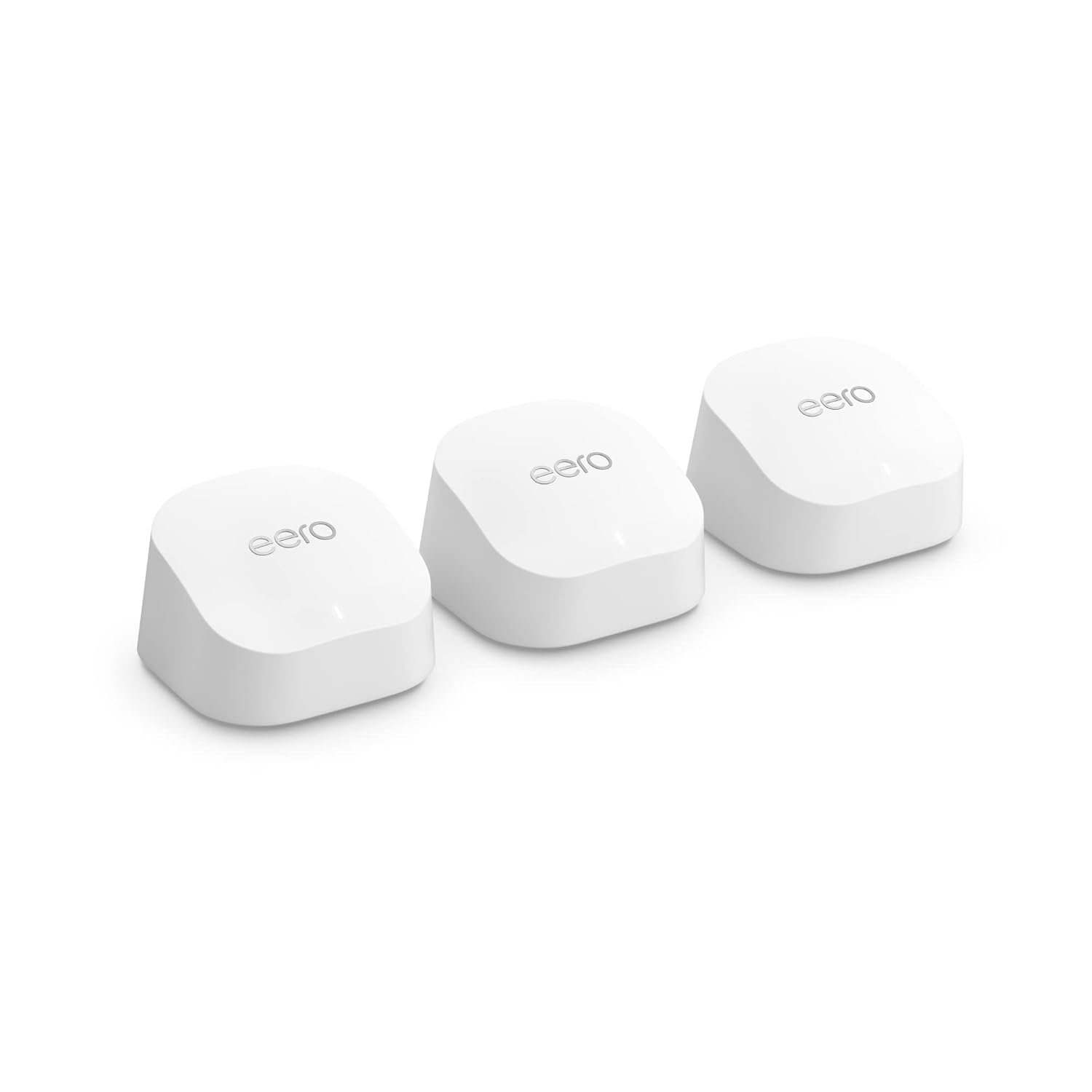
The Importance of Choosing the Right Amazon Device for Modern Home Connectivity
In 2026, the demand for seamless home connectivity has never been higher. With the proliferation of smart home devices, streaming services, and remote work setups, households require robust, reliable, and scalable networking solutions. Amazon devices, including the eero 6+ mesh WiFi system, play a critical role in meeting these needs by offering advanced connectivity options, ecosystem integration, and performance tailored to diverse user profiles. From multi-device households to smart home enthusiasts, the right Amazon device can significantly enhance productivity, entertainment, and security. This review evaluates the eero 6+ as a comprehensive solution for users seeking high-speed, wide-area coverage, and compatibility with Amazon’s ecosystem. By analyzing its technical specifications, user-centric design, and real-world applicability, we aim to provide a data-driven assessment of its strengths and limitations. Whether you’re a tech-savvy homeowner or a first-time mesh network user, this analysis will help you determine if the eero 6+ aligns with your connectivity needs.
Quick Overview
| Feature | Details |
|---|---|
| Device Category | Mesh WiFi system for home and small office use |
| Core Features | Gigabit speeds, 4,500 sq. ft. coverage, 75+ device support, TrueMesh technology |
| Voice Assistant Support | Alexa integration for smart home control |
| Connectivity | Wi-Fi 6 with 160 MHz bandwidth, Thread and Zigbee compatibility |
| Supported Ecosystems | Amazon Alexa, third-party smart home devices |
| Intended Users | Families, remote workers, smart home adopters |
| Support Coverage | 24/7 customer support, automatic firmware updates |
The eero 6+ combines high-speed networking with smart home integration, making it suitable for households with multiple devices and complex connectivity needs. Its TrueMesh technology and compatibility with Alexa-enabled devices ensure seamless performance and expandable ecosystem support.

Gigabit Speeds and Network Performance
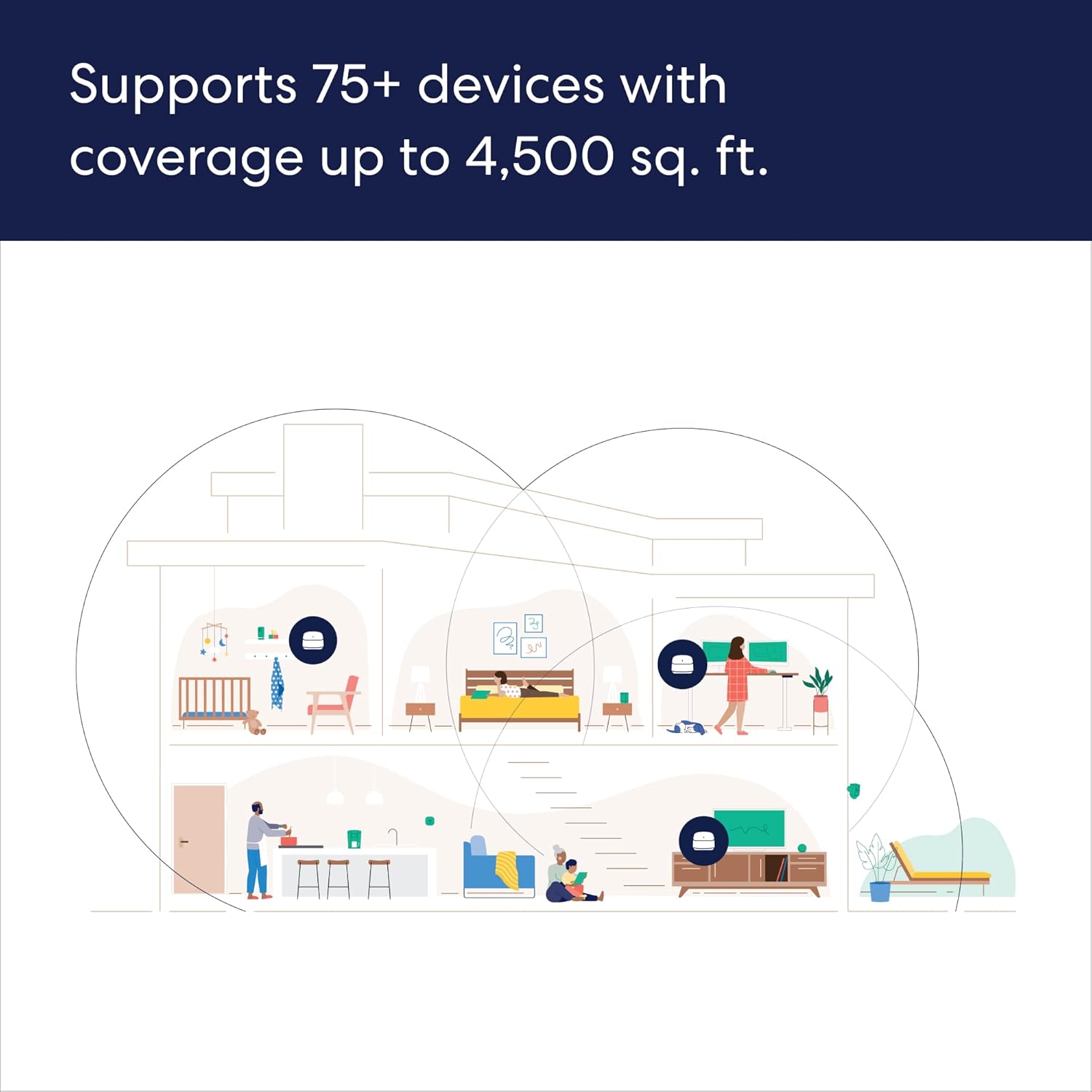
The eero 6+ delivers gigabit speeds without the premium price tag, positioning it as an accessible option for users requiring high-performance networking. This feature is particularly valuable for households with bandwidth-intensive activities such as 4K streaming, online gaming, and video conferencing. By supporting Wi-Fi 6 with a 160 MHz radio channel, the system maximizes bandwidth availability, ensuring consistent performance even with multiple connected devices. The 75+ device capacity allows for scalable expansion, accommodating growing smart home setups or multi-user environments. However, users in larger spaces may need additional nodes to maintain optimal coverage, as the system’s 4,500 sq. ft. range is ideal for medium-sized homes but may require augmentation for commercial or very large residential properties. This balance between performance and affordability makes the eero 6+ a compelling choice for those prioritizing speed and reliability.

High-Speed Networking for Bandwidth-Heavy Use Cases
The eero 6+’s gigabit capabilities are designed to handle modern data demands, such as simultaneous 4K streaming across multiple devices. Its support for Wi-Fi 6 with a 160 MHz channel ensures that bandwidth is maximized, reducing latency and improving overall network responsiveness. This is particularly beneficial for households with multiple users engaging in activities like online gaming, video conferencing, or large file transfers. The system’s backward compatibility with previous-generation eero devices also ensures seamless integration for users upgrading their existing networks, without the need for complete overhauls.
Scalability and Device Support
With a capacity to connect up to 75 devices, the eero 6+ is well-suited for households with extensive smart home setups or multi-user environments. This scalability allows for future expansion, accommodating new devices such as smart speakers, security cameras, and IoT gadgets without compromising performance. However, users with extremely large networks may need to consider additional nodes to extend coverage, as the 4,500 sq. ft. range is optimized for medium-sized homes. The system’s ability to handle high device counts without significant performance degradation is a key advantage, ensuring consistent connectivity across all connected devices.
Performance in Diverse Environments
The eero 6+ is engineered to maintain reliable performance in various home environments, from single-story apartments to multi-level residences. Its TrueMesh technology dynamically routes traffic to minimize drop-offs and dead spots, ensuring consistent coverage throughout the home. This is especially useful in areas with physical obstructions or interference from other wireless signals. While the system excels in typical residential settings, users in environments with extreme signal interference or exceptionally large coverage areas may need to supplement with additional nodes or consider alternative networking solutions.
TrueMesh Technology and Network Reliability
The eero 6+’s patented TrueMesh technology is a cornerstone of its reliability, ensuring consistent connectivity across the home. This proprietary system intelligently routes data traffic between nodes, reducing latency and eliminating dead zones. For users who rely on stable internet for work-from-home setups or video conferencing, this feature is critical in preventing dropped calls and ensuring smooth data transmission. The TrueMesh architecture also enhances the system’s ability to adapt to changing network conditions, maintaining optimal performance even with fluctuating device usage. However, users in areas with complex signal interference or very large homes may need to add nodes to fully leverage this technology’s capabilities.

Dynamic Traffic Routing for Optimal Coverage
TrueMesh technology dynamically adjusts data routing to minimize signal interference and maintain consistent connectivity. This adaptability is particularly beneficial in environments with multiple wireless signals or physical obstructions, such as thick walls or metal structures. By intelligently directing traffic between nodes, the system ensures that all connected devices receive a stable and fast connection, even in challenging conditions. This feature is especially valuable for households with high device density or those requiring uninterrupted connectivity for critical applications like remote work or online education.
Eliminating Dead Zones and Signal Drops
One of the primary advantages of TrueMesh technology is its ability to eliminate dead zones and signal drops, which are common in traditional mesh systems. The eero 6+ continuously monitors network performance and adjusts its routing strategy to maintain optimal coverage. This is particularly important for users who need reliable internet access in all areas of their home, such as basements, attics, or outdoor spaces. While the system excels in typical residential settings, users with extremely large coverage areas may need to supplement with additional nodes to ensure full coverage.
Adaptive Performance for Changing Network Conditions
The eero 6+ is designed to adapt to evolving network demands, ensuring consistent performance even as device usage fluctuates. This adaptability is crucial for households with varying connectivity needs, such as those with multiple users engaging in different activities simultaneously. The system’s ability to dynamically adjust to changing conditions helps maintain stable performance, reducing the likelihood of connectivity issues during peak usage times. This feature enhances the overall user experience by providing a reliable and responsive network environment.
Smart Home Integration and Ecosystem Compatibility
The eero 6+ serves as a built-in smart home hub, enabling seamless integration with Thread and Zigbee-compatible devices. This feature eliminates the need for separate hubs, simplifying the smart home setup process. By connecting to Amazon Alexa, users can control a wide range of IoT devices through voice commands, enhancing convenience and automation. The system’s compatibility with popular smart home ecosystems ensures that users can expand their network without compatibility issues. However, the reliance on specific protocols may limit its effectiveness with devices that use alternative communication standards, requiring users to verify compatibility before purchasing.
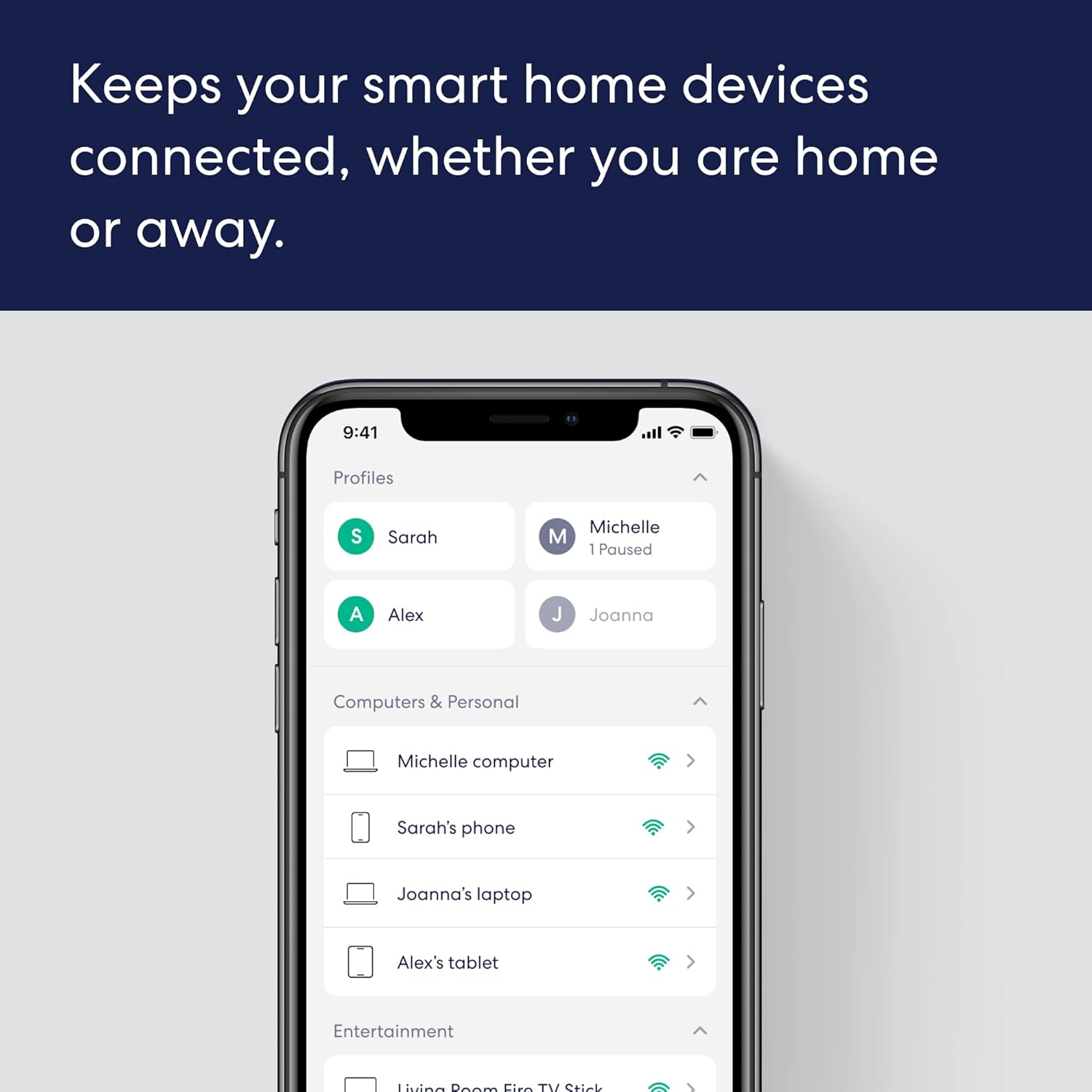
Built-In Smart Home Hub for Simplified Setup
As a built-in smart home hub, the eero 6+ streamlines the integration of Thread and Zigbee devices, eliminating the need for additional hardware. This simplification reduces setup complexity and ensures that smart home devices can be managed through a single interface. The integration with Amazon Alexa further enhances usability, allowing users to control compatible devices via voice commands. This streamlined approach is particularly beneficial for users who are new to smart home technology, as it reduces the learning curve associated with managing multiple devices.
Voice Assistant Integration for Enhanced Control
The eero 6+’s compatibility with Amazon Alexa enables users to manage their smart home devices through voice commands, enhancing convenience and accessibility. This integration allows for seamless control of compatible devices, such as smart lights, thermostats, and security cameras, all through the Alexa app. The ability to manage these devices via voice commands not only improves user experience but also promotes a more intuitive and hands-free approach to smart home management. However, users with devices that use alternative communication standards may need to explore additional integration options.
Ecosystem Compatibility and Device Support
The eero 6+ is designed to work seamlessly with popular smart home ecosystems, ensuring compatibility with a wide range of devices. This compatibility allows users to expand their network without encountering integration issues, making it an attractive option for those with existing smart home setups. However, the reliance on specific protocols such as Thread and Zigbee may limit its effectiveness with devices that use alternative communication standards, requiring users to verify compatibility before purchasing. This consideration is important for users who have a diverse array of smart home devices or those who rely on non-standard communication protocols.
Ease of Setup and Everyday Usability
The eero 6+ is designed for simplicity, with a setup process that can be completed in minutes using the eero app. This user-friendly approach ensures that even first-time users can configure their network without technical expertise. The app provides step-by-step guidance, making the setup process intuitive and straightforward. Additionally, the system’s ability to manage the network from anywhere adds to its convenience, allowing users to monitor and adjust settings remotely. While the setup process is efficient, users with complex networking requirements may find the process less streamlined, necessitating additional configuration steps.

Streamlined Setup for Quick Deployment
The eero 6+’s setup process is designed to be intuitive and efficient, allowing users to configure their network in minutes. The eero app guides users through each step, ensuring a smooth and hassle-free experience. This streamlined approach is particularly beneficial for users who are new to mesh networking systems, as it reduces the learning curve associated with setting up a home network. The ability to complete the setup quickly ensures that users can begin benefiting from the system’s performance without unnecessary delays.
Remote Management for Convenience
The eero 6+’s remote management capabilities allow users to monitor and adjust their network settings from anywhere, enhancing convenience and flexibility. This feature is particularly useful for users who travel frequently or need to manage their network settings while away from home. The ability to access the eero app from any location ensures that users can maintain optimal network performance without the need for physical access to the device. This remote management capability adds to the overall usability of the system, making it a versatile solution for modern home networking needs.
Intuitive Interface for Everyday Use
The eero 6+’s user interface is designed to be intuitive, ensuring that users can easily navigate and manage their network settings. This simplicity is crucial for everyday use, as it reduces the likelihood of user errors and enhances the overall experience. The system’s ability to provide clear visual feedback and straightforward options makes it accessible to a wide range of users, from tech-savvy individuals to those with limited technical knowledge. This intuitive design contributes to the system’s overall usability, making it a practical choice for households with varying levels of technical expertise.
Privacy and Security Considerations
The eero 6+ incorporates standard security measures to protect user data and network integrity. These include encrypted communication between nodes, regular firmware updates, and optional network management features via a separate subscription. While these measures provide a baseline level of security, users concerned about advanced privacy controls may need to explore additional safeguards. The system’s reliance on standard protocols may also introduce potential vulnerabilities if not properly maintained, emphasizing the importance of regular updates and secure network practices.
Encrypted Communication for Network Security
The eero 6+ employs encrypted communication between nodes to safeguard data transmission across the network. This encryption helps prevent unauthorized access and ensures that sensitive information remains protected. By using industry-standard encryption protocols, the system maintains a high level of security, making it suitable for households with privacy concerns. However, users should ensure that all nodes are updated with the latest firmware to maintain optimal security standards.
Firmware Updates for Ongoing Protection
Regular firmware updates are a critical component of the eero 6+’s security strategy, ensuring that the system remains protected against emerging threats. These updates are delivered automatically, helping users maintain a secure network without manual intervention. While this proactive approach enhances security, users should be aware that some advanced security features may require a separate subscription, which could impact long-term cost considerations.
Network Management Features for Enhanced Control
The eero 6+ offers optional network management features that allow users to customize their security settings and monitor network activity. These features, available via a separate subscription, provide additional control over network access and data flow. While these options enhance security, they may not be necessary for all users, particularly those with standard networking needs. The availability of these advanced features underscores the system’s flexibility but also highlights the importance of evaluating their relevance to individual requirements.
Pros & Cons
Pros
- Gigabit Speeds at an Affordable Price: The eero 6+ delivers high-speed networking without the premium cost of other gigabit systems, making it an attractive option for budget-conscious users.
- TrueMesh Technology for Reliable Coverage: The patented TrueMesh system effectively eliminates dead zones and ensures consistent connectivity across the home, even in challenging environments.
- Smart Home Hub Integration: The built-in smart home hub simplifies the integration of Thread and Zigbee devices, eliminating the need for separate hubs and streamlining smart home management.
- Seamless Alexa Compatibility: Integration with Amazon Alexa allows for voice-controlled management of compatible smart home devices, enhancing convenience and usability.
- Easy Setup and Remote Management: The eero app guides users through a quick setup process and enables remote network management, ensuring a hassle-free user experience.
- Scalable Device Support: With a capacity to connect up to 75 devices, the system is well-suited for households with extensive smart home setups or multi-user environments.
- Automatic Firmware Updates: Regular updates ensure the system remains secure and up-to-date, reducing the need for manual maintenance.
- 24/7 Customer Support: Access to expert troubleshooting assistance provides users with reliable support for any network-related issues.
Cons
- Limited Device Compatibility: The reliance on Thread and Zigbee protocols may limit compatibility with devices that use alternative communication standards, requiring users to verify device compatibility before purchase.
- Potential Setup Complexity: While the setup process is generally straightforward, users with complex networking requirements may find the process less streamlined, necessitating additional configuration steps.
- Subscription Requirements for Advanced Features: Some network management and security features require a separate subscription, which could impact long-term cost considerations.
- Coverage Limitations for Large Spaces: The 4,500 sq. ft. coverage range is ideal for medium-sized homes but may require additional nodes for larger residential or commercial spaces.
- Dependence on Internet Connectivity: The system’s performance is contingent on a stable internet connection, which may introduce potential vulnerabilities if not properly maintained.
Final Verdict: Who This Device Is Best For (and Who Should Skip It)
The eero 6+ is an excellent choice for households with multiple devices, remote workers, and smart home enthusiasts who prioritize high-speed connectivity and reliable coverage. Its gigabit speeds, TrueMesh technology, and built-in smart home hub make it a versatile solution for modern home networking needs. Users who require seamless integration with Amazon Alexa and a scalable network for growing smart home setups will find the eero 6+ particularly beneficial. However, those with simple networking requirements, limited budgets, or specific device compatibility needs may find alternative solutions more suitable. The system’s reliance on Thread and Zigbee protocols, along with the potential need for additional nodes in large spaces, may make it less ideal for users with unique or complex networking demands. Overall, the eero 6+ is a strong contender for users seeking a balance between performance, affordability, and ecosystem integration in a mesh WiFi system.
Frequently Asked Questions (FAQs)
Does the eero 6+ support gigabit speeds?
Yes, the eero 6+ supports internet plans up to a gigabit, delivering high-speed connectivity for bandwidth-intensive activities like 4K streaming and online gaming. This performance is achieved through Wi-Fi 6 technology with a 160 MHz radio channel, ensuring optimal bandwidth availability.
How does the eero 6+ handle large homes?
The eero 6+ provides coverage up to 4,500 sq. ft., making it suitable for medium-sized homes. For larger spaces or commercial areas, additional nodes may be required to extend coverage and maintain reliable performance across all areas.
Can the eero 6+ integrate with smart home devices?
Yes, the eero 6+ acts as a built-in smart home hub, supporting Thread and Zigbee devices. It also integrates seamlessly with Amazon Alexa, allowing voice-controlled management of compatible IoT devices through the Alexa app.
Is setting up the eero 6+ difficult?
The eero 6+ is designed for easy setup, with the eero app guiding users through the configuration process step-by-step. Most users can complete the setup in minutes, making it accessible even for those with limited technical expertise.
What security features does the eero 6+ offer?
The eero 6+ includes encrypted communication between nodes, regular firmware updates for ongoing protection, and optional network management features via a separate subscription. These measures help safeguard user data and network integrity.
Can the eero 6+ work with non-Amazon smart home devices?
The eero 6+ supports Thread and Zigbee-compatible devices, which are widely used in the smart home industry. While it integrates well with Amazon Alexa, users with devices using alternative communication standards may need to verify compatibility before purchase.
What is the warranty or support coverage for the eero 6+?
The eero 6+ comes with 24/7 customer support via phone in the US at +1-877-659-2347 or through support@eero.com. Automatic firmware updates are also provided to ensure the system remains secure and up-to-date.
Are there any limitations to the eero 6+’s device support?
The eero 6+ can connect up to 75 devices, which is suitable for most households. However, users with extremely large networks may need to add additional nodes to maintain optimal performance. Compatibility with non-Thread/Zigbee devices may also require verification.