Dell P4317Q 4K Monitor Review: 43-Inch Multi-Client Display for Productivity
Discover the Dell P4317Q 43-inch 4K monitor’s 3840 x 2160 resolution, multi-client support, and connectivity options for productivity workflows. Learn about its pros, cons, and ideal use cases.
The Importance of Choosing the Right Monitor for Productivity Workflows
In today’s fast-paced digital environment, selecting the right display is critical for professionals who rely on multitasking, content creation, and high-resolution visuals. A monitor like the Dell P4317Q offers a compelling solution for users who need to manage multiple applications, stream 4K content, and maintain a clutter-free workspace. This 43-inch ultra HD monitor is designed for environments where screen real estate and visual clarity are paramount, such as graphic design studios, financial trading floors, and remote workspaces. Its ability to support up to four independent clients on a single display makes it particularly valuable for users who need to juggle complex workflows without sacrificing productivity. For those seeking a balance between performance, versatility, and ease of integration into existing tech ecosystems, the Dell P4317Q presents a strong case. However, its suitability depends on specific use cases, such as whether the multi-client feature is essential or if other factors like connectivity options or ergonomics take precedence.
Quick Overview
| Feature | Details |
|---|---|
| Device Category | 43-inch 4K Ultra HD Monitor |
| Core Features | 3840 x 2160 resolution, 1.06 billion color support, 43-inch glossy IPS panel |
| Connectivity | DisplayPort, Mini-DisplayPort, HDMI, VGA, USB 3.0, RS232 |
| Ecosystem Compatibility | Works with Windows, macOS, and Linux systems |
| Intended Users | Multitasking professionals, content creators, remote workers |
| Warranty | 90-day factory refurbished warranty |
The Dell P4317Q’s combination of high-resolution display, multi-client capabilities, and robust connectivity options makes it a versatile choice for users who require a single monitor to handle complex workflows. Its glossy IPS panel ensures vibrant colors and wide viewing angles, while the built-in USB ports and RS232 interface enhance its utility for both individual and enterprise environments.
Resolution and Visual Performance: A 4K Experience for Precision Work
The Dell P4317Q’s 3840 x 2160 resolution delivers a sharp, detailed 4K display that is ideal for tasks requiring high visual accuracy, such as photo editing, video production, and data analysis. The 1.06 billion color gamut ensures that colors appear vivid and true to life, which is particularly beneficial for creative professionals. The 350 cd/m² brightness rating and 1,000:1 static contrast ratio contribute to a dynamic range that enhances both bright and dark content, making it suitable for a variety of media consumption and production scenarios. However, the glossy screen surface may cause glare in brightly lit environments, which could be a drawback for users who work in spaces with high ambient light.

Display Quality and Color Accuracy
The monitor’s IPS panel provides wide 178-degree viewing angles, ensuring that colors remain consistent even when viewed from the sides. This is particularly useful for collaborative workspaces where multiple users may need to view the same content. The 1.06 billion color support allows for smooth gradients and accurate color representation, which is essential for tasks such as graphic design and video editing. However, some users may find that the glossy finish enhances reflections, which could be a limitation in certain lighting conditions.
Brightness and Contrast
The 350 cd/m² brightness rating ensures that the monitor remains visible even in moderately lit environments, though it may not be as effective in very bright rooms. The 1,000:1 static contrast ratio helps maintain detail in both bright and dark areas, which is beneficial for watching high-contrast content such as movies and games. However, dynamic contrast ratios may not be as pronounced as in some competing models, which could affect the perception of depth in certain applications.
Multi-Client Capabilities: Enhancing Productivity Through Task Management
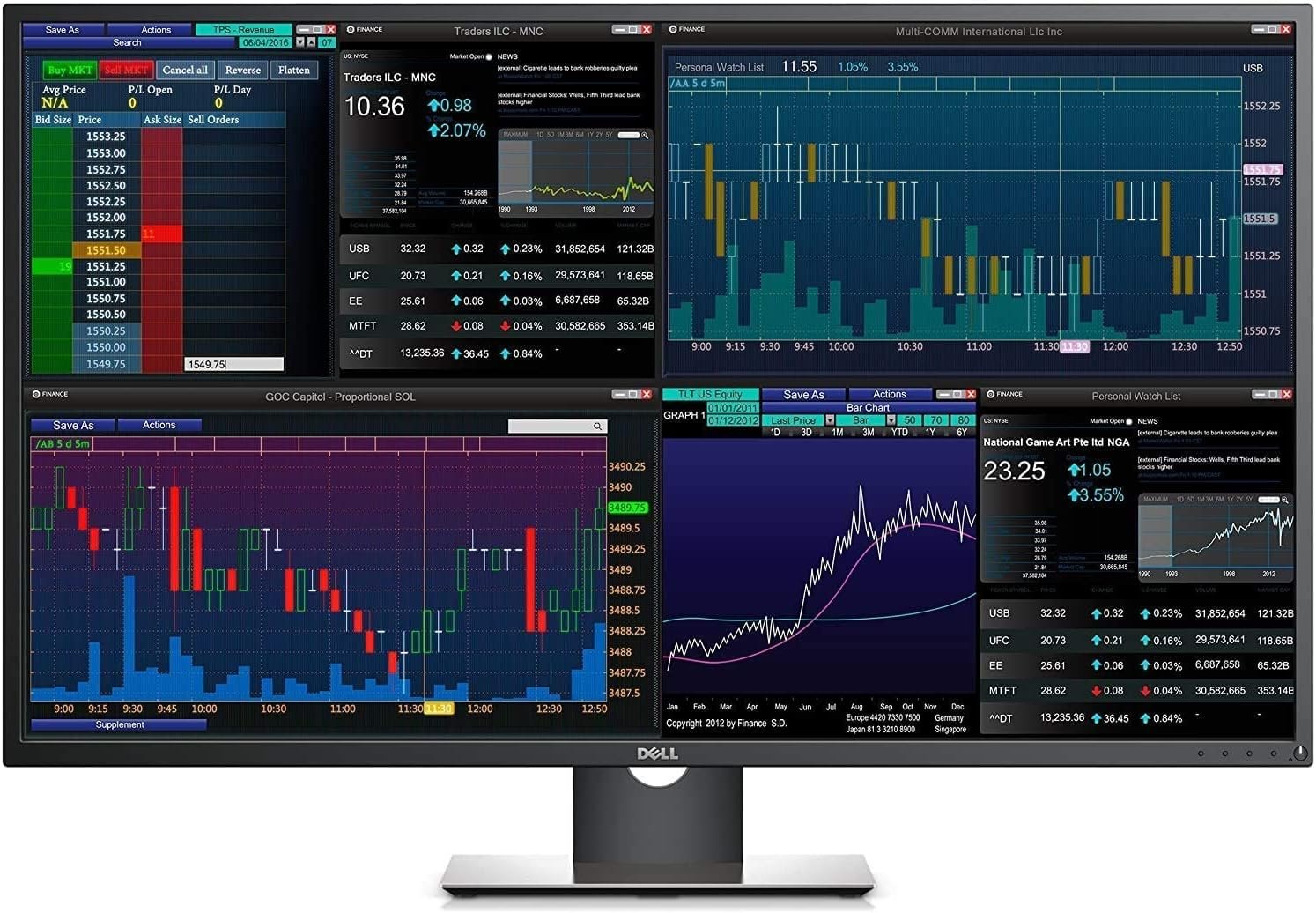
One of the standout features of the Dell P4317Q is its ability to support up to four independent clients on a single display. This functionality allows users to manage multiple applications, virtual machines, or remote desktop sessions simultaneously without the need for additional monitors. The multi-client feature is particularly advantageous for professionals who work with complex workflows, such as developers managing multiple coding environments or traders monitoring various financial data streams. The absence of bezel breaks ensures that each client’s interface is displayed seamlessly, which can improve focus and reduce the need for frequent switching between windows.

Remote Management and IT Integration
The built-in RS232 connection simplifies remote management, making the monitor a practical choice for IT departments that need to configure or troubleshoot multiple displays efficiently. This feature is especially useful in enterprise settings where centralized monitoring and control are essential. However, the RS232 interface may not be as widely supported as other connectivity options, which could limit its appeal to users who prefer more modern or universally compatible ports.
Customization and User Experience
The ability to customize views for each client enhances the user experience by allowing tailored configurations for different tasks. For example, a user might set up one client for email and document editing while another handles data analysis. This level of customization can improve productivity by streamlining workflows. However, the learning curve for configuring multiple clients may be a barrier for less tech-savvy users, which could affect the overall accessibility of the feature.
Connectivity and Compatibility: Seamless Integration with Existing Systems
The Dell P4317Q offers a comprehensive range of connectivity options, including DisplayPort, Mini-DisplayPort, HDMI, VGA, and USB 3.0 ports. This variety ensures that the monitor can be easily integrated into different computing environments, whether users are working with high-end workstations, laptops, or older systems that rely on VGA connections. The inclusion of multiple HDMI ports allows for simultaneous connections to multiple devices, which is beneficial for users who need to switch between different sources without interrupting their workflow.
USB 3.0 and Peripheral Support
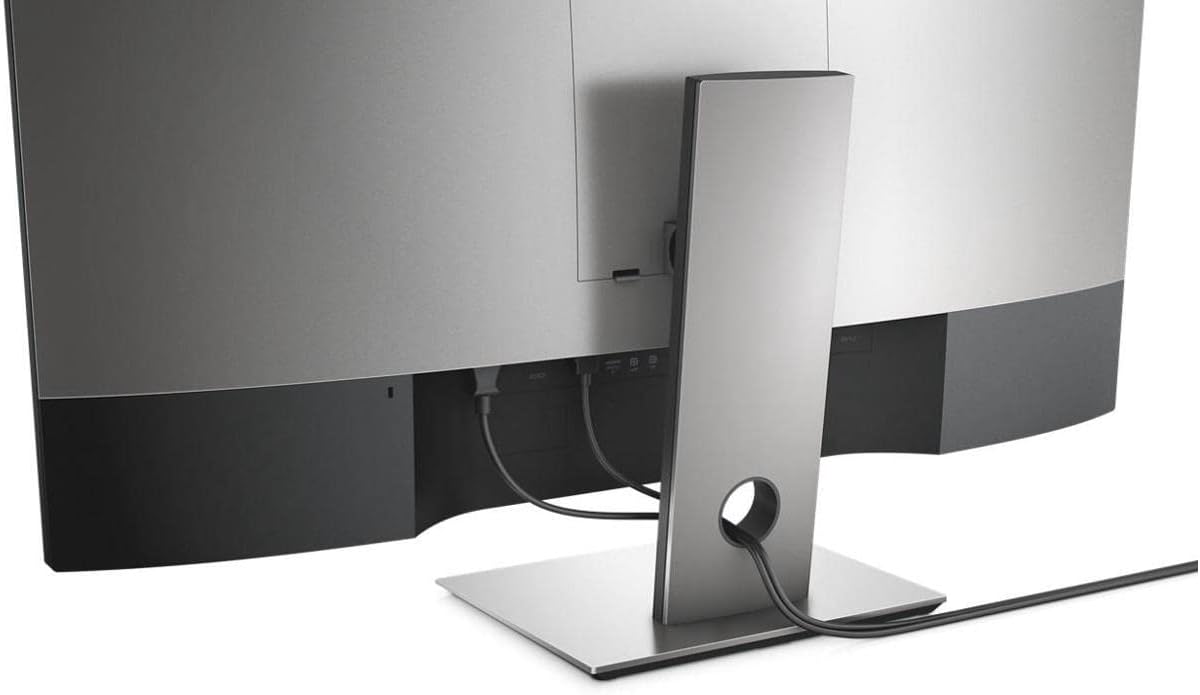
The four USB 3.0 ports provide ample connectivity for peripheral devices such as keyboards, mice, and external hard drives. This is particularly useful for users who need to manage multiple devices without relying on additional hubs. However, the USB ports are not expandable, which could be a limitation for users who require more connectivity options. The built-in cable management system helps keep the workspace organized, though it may not accommodate all types of cables or accessories.
Compatibility with Operating Systems
The monitor is compatible with Windows, macOS, and Linux systems, making it a versatile choice for users who work across different platforms. This compatibility is crucial for professionals who need to switch between operating systems or use a single display for multiple devices. However, some users may find that certain features, such as specific color profiles or calibration options, are not fully supported on all platforms, which could affect the overall user experience.
Pros & Cons
Pros
- 4K Ultra HD Resolution: The 3840 x 2160 resolution delivers sharp, detailed visuals ideal for professional tasks.
- Multi-Client Support: Up to four independent clients can be managed on a single display, enhancing productivity.
- Glossy IPS Panel: Wide viewing angles and vibrant colors ensure consistent performance across different angles.
- Robust Connectivity: Multiple ports including DisplayPort, HDMI, and USB 3.0 provide flexibility for various setups.
- Built-In Cable Management: Helps maintain a clutter-free workspace by organizing cables efficiently.
- RS232 Remote Management: Simplifies IT management and troubleshooting for enterprise environments.
- High Brightness and Contrast: The 350 cd/m² brightness and 1,000:1 contrast ratio enhance visual clarity for diverse content.
- Ergonomic Adjustments: The adjustable stand allows for tilt customization to suit individual preferences.
Cons
- Glossy Screen Limitations: May cause glare in brightly lit environments, affecting visibility.
- Limited USB Expansion: The four USB 3.0 ports are not expandable, which could be restrictive for some users.
- RS232 Compatibility: May not be as widely supported as other connectivity options, limiting appeal in certain settings.
- Setup Complexity: Configuring multi-client setups may require some technical knowledge, which could be a barrier for less experienced users.
- Weight and Size: The 54.2-pound weight and 26 x 12 x 17-inch dimensions make it a large, heavy display that requires a sturdy desk.
- No Touchscreen Support: The absence of touchscreen functionality may be a drawback for users who prefer interactive displays.
Final Verdict: Who This Device Is Best For (and Who Should Skip It)
The Dell P4317Q 4K monitor is best suited for professionals who require a high-resolution display for tasks such as graphic design, video editing, and multitasking across multiple applications. Its multi-client capabilities make it an excellent choice for users who need to manage complex workflows without additional monitors. The robust connectivity options and built-in cable management system also appeal to users who prioritize workspace organization and flexibility. However, the monitor may not be ideal for individuals who work in brightly lit environments, as the glossy screen can cause glare. Additionally, users who prefer touchscreen functionality or need more expandable USB ports may find the P4317Q less suitable. For those seeking a more compact or lightweight display, this model may not meet their needs. Overall, the Dell P4317Q is a strong option for users who value high-resolution visuals, multi-tasking capabilities, and seamless integration into existing tech ecosystems.
Final Verdict: Who This Device Is Best For (and Who Should Skip It)
The Dell P4317Q is best suited for professionals who require a high-resolution display for tasks such as graphic design, video editing, and multitasking across multiple applications. Its multi-client capabilities make it an excellent choice for users who need to manage complex workflows without additional monitors. The robust connectivity options and built-in cable management system also appeal to users who prioritize workspace organization and flexibility. However, the monitor may not be ideal for individuals who work in brightly lit environments, as the glossy screen can cause glare. Additionally, users who prefer touchscreen functionality or need more expandable USB ports may find the P4317Q less suitable. For those seeking a more compact or lightweight display, this model may not meet their needs. Overall, the Dell P4317Q is a strong option for users who value high-resolution visuals, multi-tasking capabilities, and seamless integration into existing tech ecosystems.
Frequently Asked Questions (FAQs)
What is the resolution of the Dell P4317Q monitor?
The Dell P4317Q offers a 4K Ultra HD resolution of 3840 x 2160, providing sharp and detailed visuals for professional tasks.
Can the Dell P4317Q support multiple clients?
Yes, the monitor supports up to four independent clients, allowing users to manage multiple applications or remote sessions on a single display.
What connectivity options are available on the Dell P4317Q?
The monitor includes DisplayPort, Mini-DisplayPort, HDMI, VGA, and USB 3.0 ports, offering flexibility for various setups and peripheral connections.
Is the Dell P4317Q suitable for graphic design work?
The 4K resolution, wide color gamut, and accurate color representation make it a strong choice for graphic design and video editing tasks.
How does the glossy screen affect the viewing experience?
The glossy IPS panel provides vibrant colors and wide viewing angles, but it may cause glare in bright environments, which could affect visibility.
What is the warranty for the Dell P4317Q?
The monitor comes with a 90-day factory refurbished warranty, providing basic support for the product.
Can the Dell P4317Q be used with different operating systems?
Yes, it is compatible with Windows, macOS, and Linux systems, making it versatile for users across various platforms.
What are the dimensions and weight of the Dell P4317Q?
The monitor measures 26 x 12 x 17 inches and weighs 54.2 pounds, making it a large and heavy display that requires a sturdy desk.