Fire HD 8 Kids Tablet Review: A Comprehensive Guide for Parents in 2026
Evaluate the Fire HD 8 Kids tablet for educational content, parental controls, and durability. Compare features, storage, and ecosystem integration for 2026.
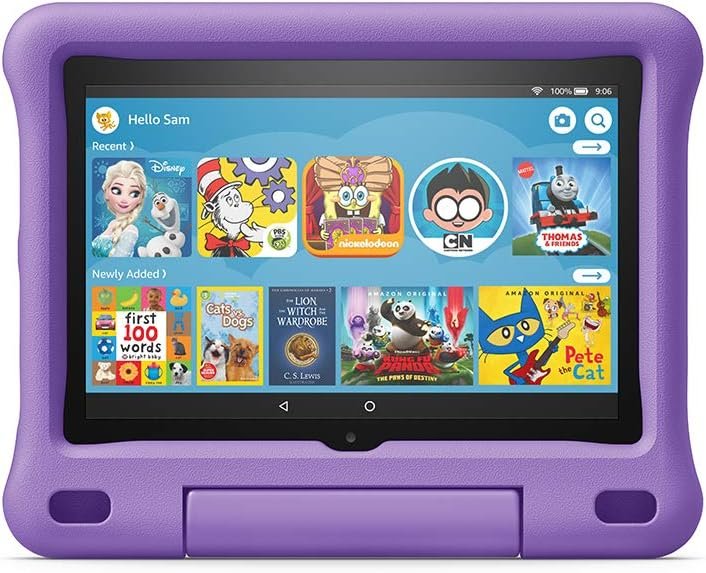
The Importance of Choosing the Right Amazon Kids Tablet
In 2026, the demand for educational and entertainment devices tailored to young children has grown significantly. Parents seeking tools to support early learning, foster digital literacy, and manage screen time must carefully evaluate options that balance functionality, safety, and integration with existing ecosystems. The Amazon Fire HD 8 Kids tablet, designed for children aged 3-7, addresses these needs by combining a durable, kid-friendly design with access to curated content through Amazon Kids+. Its 8″ HD display, 32 GB storage, and built-in parental controls position it as a strong contender in the market for families prioritizing both education and entertainment. This device is particularly appealing for households already invested in Amazon’s ecosystem, as it seamlessly integrates with Alexa, Fire TV, and other Amazon services. However, its suitability depends on specific needs such as content preferences, storage requirements, and the necessity for advanced parental oversight. By examining its features, limitations, and real-world applications, this review aims to guide parents in making an informed decision about whether the Fire HD 8 aligns with their child’s developmental and technological needs.
Quick Overview
| Feature | Details |
|---|---|
| Device Category | Fire HD 8 Kids tablet |
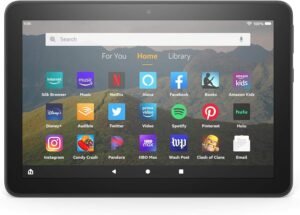
| Core Features | 8″ HD display, 32 GB internal storage, USB-C port, Kid-Proof Case with stand |
| Voice Assistant | Alexa integration |
| Connectivity | Wi-Fi, USB-C charging, microSD card support |
| Supported Ecosystems | Amazon Kids+, Alexa, Fire TV, Amazon Parent Dashboard |
| Intended Users | Parents of children aged 3-7 seeking educational and entertainment content |
| Warranty/Support | 2-year worry-free guarantee, 1-year Amazon Kids+ subscription |
The Fire HD 8’s combination of a durable, kid-friendly design and access to curated content through Amazon Kids+ makes it ideal for families seeking a balanced approach to digital engagement. Its built-in parental controls and ecosystem integration ensure seamless management of screen time and content access, while the expandable storage and USB-C charging enhance practicality for daily use.

Educational Content and Parental Controls
The Fire HD 8’s primary value lies in its access to Amazon Kids+, a service offering thousands of ad-free books, games, videos, and apps tailored for children. This subscription-based content library includes popular titles from Disney, Nickelodeon, and PBS Kids, ensuring a diverse range of educational and entertainment options. Parents can customize their child’s experience by setting time limits, filtering content, and establishing educational goals through the Amazon Parent Dashboard. These controls provide a structured environment for screen time, helping to balance digital engagement with offline activities. Additionally, the device’s compatibility with Alexa allows for interactive learning through voice commands, further enhancing its educational utility. However, the subscription model may raise concerns for parents seeking long-term cost predictability, as the 1-year free trial transitions to a recurring monthly fee after the initial period.

Content Variety and Educational Value
Amazon Kids+ delivers a curated selection of content designed to support early childhood development. The inclusion of Spanish language materials and Audible books caters to bilingual households and expands language learning opportunities. Titles such as *Super Simple Songs* and *Peppa Pig* are well-suited for younger audiences, while educational apps like *ABCmouse* and *Khan Academy Kids* provide structured learning experiences. The absence of ads ensures a distraction-free environment, allowing children to focus on content rather than promotional messages. Parents can further enhance the educational value by integrating Alexa skills that reinforce literacy, math, and science concepts. However, the limited availability of certain premium titles compared to other platforms may require additional subscriptions for full access.
Parental Controls and Customization
The Amazon Parent Dashboard offers granular control over content access, enabling parents to restrict specific apps, set daily time limits, and monitor usage patterns. This level of customization is particularly beneficial for households with multiple children or those seeking to balance screen time with physical activities. The ability to filter content by age-appropriate ratings ensures a safer browsing experience, while the goal-setting feature encourages productive use of the device. However, some parents may find the dashboard’s interface less intuitive compared to competitors, requiring a learning curve to fully utilize its capabilities. The integration with Alexa also allows for voice-activated content filtering, though this feature is limited to pre-approved titles within the Amazon Kids+ library.
Durability and Safety Features
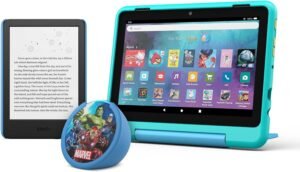
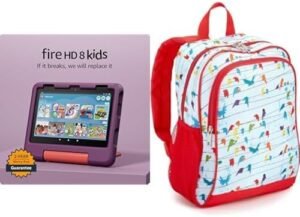
The Fire HD 8’s Kid-Proof Case is a standout feature, offering physical protection against drops, spills, and scratches. The case’s built-in stand allows for hands-free viewing, making it ideal for reading or watching content in a seated position. The durable, rubberized exterior resists damage from accidental impacts, reducing the risk of costly repairs. This design is particularly advantageous for young children who may not yet understand the importance of handling electronics with care. Additionally, the device’s IPX4 water resistance rating provides limited protection against splashes, though it is not fully waterproof. Parents should still exercise caution in environments with high moisture levels, such as bathrooms or near water sources. The USB-C charging port and included cable further enhance convenience, eliminating the need for additional accessories. However, the lack of a built-in battery indicator may make it challenging to monitor remaining power without accessing the device’s settings.

Physical Design and Usability
The Fire HD 8’s 8″ HD display is optimized for children’s visual needs, with a resolution that ensures clear and vibrant content. The screen’s anti-reflective coating reduces glare, making it easier to view in various lighting conditions. The device’s lightweight design and rounded edges contribute to a comfortable grip, minimizing the risk of accidental drops. The Kid-Proof Case’s stand functionality allows for easy setup of a reading or viewing area, promoting a more structured digital experience. However, the device’s size may be challenging for very young children to hold independently, necessitating adult supervision during use. The inclusion of a microSD card slot provides flexibility for expanding storage, though the maximum capacity of 1 TB may be excessive for most households. Parents should consider whether additional storage is necessary based on their child’s content consumption habits.
Storage and Connectivity Options
The Fire HD 8’s 32 GB internal storage is sufficient for most children’s content needs, though the inclusion of a microSD card slot allows for expansion up to 1 TB. This flexibility is particularly useful for households with multiple children or those who frequently download new content. The USB-C port not only simplifies charging but also enables faster data transfer speeds, which is beneficial for syncing content across devices. However, the reliance on Wi-Fi for streaming content may be a drawback for families without reliable internet access. The device’s compatibility with Alexa and Fire TV ensures seamless integration with Amazon’s ecosystem, allowing for voice-activated commands and shared content libraries. Parents should also note that certain apps, such as Netflix and Minecraft, require the Amazon Parent Dashboard for access, which may limit the availability of popular titles compared to other platforms. The absence of Bluetooth connectivity could be a limitation for users who rely on wireless peripherals or accessories.

Compatibility and Ecosystem Integration
The Fire HD 8’s integration with Amazon’s ecosystem is a key advantage for households already invested in Alexa, Fire TV, and other Amazon services. The ability to sync content across devices, such as Fire tablets and Echo speakers, enhances the overall user experience by creating a unified digital environment. Parents can leverage Alexa’s voice commands to manage content playback, set reminders, and access educational resources, further streamlining the child’s interaction with the device. However, the limited compatibility with third-party apps outside the Amazon ecosystem may be a drawback for users seeking greater flexibility. The Fire HD 8’s support for Fire TV apps allows for seamless streaming of content, though the selection of available titles is restricted to Amazon’s curated library. This limitation may require additional subscriptions for full access to popular streaming services, which could impact the overall cost-effectiveness of the device.

Pros & Cons
Pros
- Curated Educational Content: Amazon Kids+ provides thousands of ad-free books, games, and videos from trusted brands, supporting early learning and entertainment.
- Built-in Parental Controls: The Amazon Parent Dashboard allows for granular content filtering, time limits, and goal-setting to manage screen time effectively.
- Durable Kid-Proof Design: The reinforced case with a built-in stand offers physical protection and promotes safe, hands-free use.
- Expandable Storage: The microSD card slot supports up to 1 TB of additional storage, accommodating extensive content libraries.
- Seamless Ecosystem Integration: Compatibility with Alexa, Fire TV, and other Amazon services ensures a cohesive digital experience.
- USB-C Charging Convenience: The included USB-C cable and adapter simplify charging, reducing the need for additional accessories.
- Spanish Language Resources: The availability of Spanish books, videos, and Audible content supports bilingual learning and cultural exposure.
- Long-Lasting Battery: Up to 12 hours of battery life allows for extended use without frequent recharging.
Cons
- Subscription Costs After Free Trial: The 1-year free Amazon Kids+ subscription transitions to a recurring $4.99/month fee, which may be a financial burden for some families.
- Limited App Access: Certain popular apps like Netflix and Minecraft require the Amazon Parent Dashboard for access, restricting content availability.
- No Built-in Battery Indicator: Users must access settings to check remaining battery life, which could be inconvenient for quick checks.
- Dependence on Wi-Fi: Streaming content requires a stable internet connection, which may not be accessible in all environments.
- Limited Bluetooth Support: The absence of Bluetooth connectivity may hinder the use of wireless peripherals or accessories.
- Learning Curve for Parent Dashboard: Some parents may find the interface less intuitive, requiring time to fully utilize its features.
Final Verdict: Who This Device Is Best For (and Who Should Skip It)
The Fire HD 8 Kids tablet is an excellent choice for parents seeking a balanced approach to digital engagement for children aged 3-7. Its curated educational content through Amazon Kids+, robust parental controls, and durable design make it ideal for households prioritizing safety, learning, and ease of use. The device’s seamless integration with Amazon’s ecosystem is particularly beneficial for families already invested in Alexa, Fire TV, and other Amazon services. However, it may not be the best fit for parents who require greater flexibility in content access, prefer a fully waterproof device, or are concerned about recurring subscription costs. Additionally, users who rely on Bluetooth connectivity or need access to a broader range of apps outside the Amazon ecosystem may find the Fire HD 8 limiting. For families looking for a reliable, kid-friendly tablet that supports both education and entertainment, the Fire HD 8 remains a strong contender in the 2026 market.
Frequently Asked Questions (FAQs)
What educational content is available through Amazon Kids+ on the Fire HD 8?
Amazon Kids+ provides thousands of ad-free books, games, videos, and apps from trusted brands like Disney, Nickelodeon, and PBS Kids. Content includes Spanish language materials, Audible books, and educational titles such as *ABCmouse* and *Khan Academy Kids*.
How do parental controls work on the Fire HD 8?
The Amazon Parent Dashboard allows parents to set time limits, filter content by age-appropriate ratings, and establish educational goals. These controls help manage screen time and ensure a safe browsing environment for children.
Can the Fire HD 8 be used without an internet connection?
The Fire HD 8 can store content for offline use, but streaming requires a stable Wi-Fi connection. The device’s 32 GB internal storage and microSD card slot support downloaded content for on-the-go access.
Is the Fire HD 8 waterproof?
The Fire HD 8 has an IPX4 water resistance rating, which protects against splashes but does not make it fully waterproof. It should not be used in environments with high moisture, such as bathrooms.
What is the battery life of the Fire HD 8?
The Fire HD 8 offers up to 12 hours of battery life for reading, browsing, and media playback. This allows for extended use without frequent recharging, though battery life may vary based on usage patterns.
Can I use the Fire HD 8 with other Amazon devices?
Yes, the Fire HD 8 integrates seamlessly with Alexa, Fire TV, and other Amazon services. This allows for voice-activated commands, shared content libraries, and synchronized settings across devices.
What are the storage options for the Fire HD 8?
The Fire HD 8 includes 32 GB of internal storage and supports microSD cards up to 1 TB. This expandable storage is ideal for households with multiple children or those who frequently download new content.
What is the cost of the Amazon Kids+ subscription after the free trial?
After the 1-year free trial, the Amazon Kids+ subscription renews at $4.99/month plus applicable taxes. Parents can cancel at any time through the Amazon Parent Dashboard or by contacting customer service.