Plimpton Kids20 Tablet Review: A 10-Inch Android 15 Learning Device for Children
Discover the Plimpton Kids20 tablet’s educational value, parental controls, and durable design for children aged 3+. Learn about its Android 15 system, Google Kids Space, and 1-year warranty.
The Importance of Choosing the Right Kids’ Tablet
In today’s digital age, children’s tablets have become essential tools for early education, entertainment, and creative exploration. Parents and educators increasingly seek devices that balance learning, safety, and intuitive design while aligning with their household’s digital ecosystem. The Plimpton Kids20 tablet, launched in 2026, is positioned as a comprehensive solution for children aged 3 and above, offering a blend of educational content, parental controls, and durable hardware. Its integration with Google’s ecosystem, including Google Kids Space, makes it a compelling option for families already invested in Android devices. However, the decision to purchase such a tablet requires careful consideration of factors like educational value, screen safety, and long-term usability. This review evaluates the Plimpton Kids20 based on publicly available specifications, customer feedback, and industry standards to help parents and caregivers determine whether this device meets their needs for 2026.
Quick Overview
| Feature | Details |
|---|---|
| Device Category | 10-inch Android 15 tablet for children |
| Core Features | Google Kids Space, parental controls, 4GB RAM, 64GB storage |
| Voice Assistant | Google Assistant (via Google Kids Space) |
| Connectivity | WiFi, Bluetooth 5.3, 802.11n wireless |
| Compatibility | Google ecosystem integration, Android app support |
| Intended Users | Parents seeking educational entertainment for children aged 3+ |
| Warranty | 1-year warranty with 30-day return policy |
The Plimpton Kids20 combines hardware durability with software-driven learning tools, making it suitable for households prioritizing child safety and educational engagement. Its integration with Google services ensures seamless compatibility with other Android devices, though its child-focused environment may limit access to broader app ecosystems.

Educational Value and Learning Tools
The Plimpton Kids20’s primary selling point is its educational focus, which is reinforced by its pre-installed Google Kids Space and curated app selection. These tools are designed to provide interactive learning experiences while maintaining a secure online environment. The tablet’s Android 15 operating system further enhances its educational appeal by offering a user-friendly interface and strong privacy protections. For parents seeking a device that balances entertainment with learning, the Kids20’s educational content and structured parental controls make it a viable option.

Curated Learning Content
Google Kids Space includes a range of age-appropriate activities such as animal coloring, simple crafts, and story listening, which are designed to engage children in creative learning. These activities are endorsed by educators, ensuring they align with developmental milestones for young users. The tablet’s pre-installed apps focus on foundational skills like literacy, numeracy, and problem-solving, making it a valuable tool for early childhood education. However, the limited availability of third-party educational apps may restrict the device’s versatility for more advanced learning needs.
Privacy and Safety Features
The Plimpton Kids20 prioritizes child safety through its built-in parental controls, which allow users to filter content, set time limits, and monitor online activity. These features are critical for parents seeking to ensure their children’s digital experiences remain safe and productive. The Android 15 system also includes robust privacy protections, such as restricted app permissions and secure data storage, which further reduce the risk of unauthorized access. While these measures enhance security, they may occasionally limit the device’s flexibility for more advanced users.
Screen Quality and Eye Protection
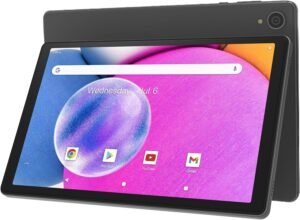
A high-quality display is essential for children’s tablets, as prolonged screen time can affect visual health. The Plimpton Kids20 features a 10.1-inch HD IPS glass screen with a resolution of 1280 x 800 pixels, providing clear and vibrant visuals. The screen’s brightness and color accuracy are optimized for indoor use, making it suitable for both learning and entertainment. Additionally, the tablet includes an eye protection mode that reduces blue light exposure, which is particularly important for young users who may spend extended periods on the device.

Low Blue Light and Brightness Adjustment
The eye protection mode on the Plimpton Kids20 is designed to minimize the risk of eye strain by filtering out harmful blue light emissions. This feature is especially beneficial for children who may not yet have developed the ability to regulate their screen time effectively. The tablet also includes automatic brightness adjustment, which ensures optimal visibility in different lighting conditions without requiring manual intervention. These features collectively contribute to a more comfortable and safer viewing experience for young users.
Screen Durability and Protection
While the screen itself is made of durable IPS glass, the tablet’s primary protection comes from its rugged EVA case. This case is specifically designed to withstand accidental drops and impacts, which is crucial for a device intended for children. The case’s anti-deformation properties ensure that the tablet remains functional even after repeated use. However, the screen’s susceptibility to scratches and minor cracks remains a potential concern, particularly for users who prioritize long-term durability.
Parental Controls and Device Management
Parental controls are a critical feature for any children’s tablet, and the Plimpton Kids20 excels in this area by offering a comprehensive set of tools to manage a child’s digital experience. The built-in parental controls allow users to set time limits, filter content, and monitor online activity, ensuring that children interact with age-appropriate materials. These controls are particularly useful for parents who want to balance screen time with other activities.

Content Filtering and Time Restrictions
The Plimpton Kids20’s parental controls include content filtering options that block access to inappropriate websites and apps. This feature is essential for parents who want to create a safe online environment for their children. Additionally, time restrictions can be set to limit daily usage, helping to prevent excessive screen time. These controls are customizable, allowing parents to tailor the experience to their child’s specific needs and habits.
Monitoring and Reporting
The tablet’s parental controls also provide detailed usage reports, which can be accessed through the Google Kids Space interface. These reports offer insights into how children are using the device, including the types of apps they engage with and the duration of their sessions. This data is invaluable for parents who want to ensure their children are using the device responsibly. However, the reporting feature may not be as granular as some competing devices, which could be a drawback for more tech-savvy users.
Durability and Physical Design
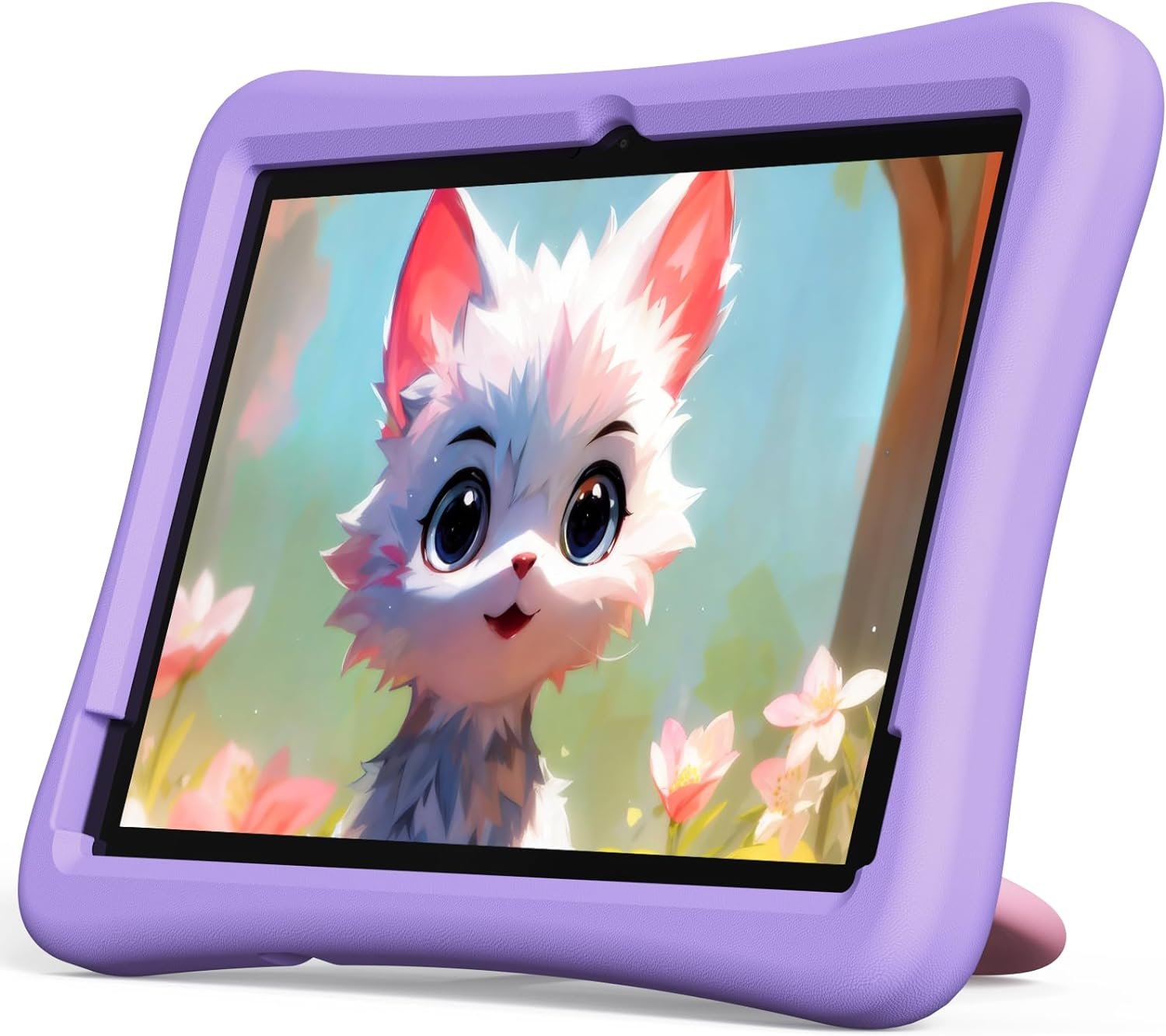
The Plimpton Kids20 is designed with durability in mind, featuring a rugged EVA case that provides impact resistance and a comfortable grip for children. The case’s environmentally friendly materials are free from harmful odors, making it safe for young users. The 360° rotatable bracket allows for optimal viewing angles, eliminating the need for children to hold the tablet while learning. These design elements contribute to the device’s overall usability and longevity.

Impact Resistance and Material Safety
The EVA case is engineered to withstand accidental drops and impacts, which is crucial for a device that may be used in a variety of environments. Its anti-deformation properties ensure that the tablet remains functional even after repeated use. The case’s lightweight design also makes it easy for children to handle, reducing the risk of strain or injury. However, the case’s durability may be compromised if subjected to extreme conditions, such as prolonged exposure to moisture or sharp objects.
Ergonomic Design and Port Accessibility
The tablet’s ergonomic design includes a comfortable grip and a 360° rotatable bracket, which allows children to view content from different angles without holding the device. The precise port incisions ensure that all functions remain accessible, even when the tablet is in use. This design is particularly beneficial for younger users who may not yet have the fine motor skills to manipulate the device independently. However, the bracket’s adjustability may not be as flexible as some competing models, which could be a limitation for users with specific needs.
Warranty and Support Coverage
The Plimpton Kids20 comes with a 1-year warranty and a 30-day return and replacement policy, which provides a level of assurance for buyers. This warranty covers manufacturing defects and ensures that the device remains functional for its intended lifespan. The return policy allows customers to exchange or refund the product within the first month, which is particularly useful for those who are unsure about the device’s suitability for their child.

Warranty Terms and Customer Support
The 1-year warranty covers any defects in materials or workmanship, ensuring that the device remains reliable for its intended use. The 30-day return policy provides customers with a risk-free trial period, allowing them to assess the device’s suitability before committing to a purchase. While the warranty and return policy offer a degree of consumer protection, the absence of extended warranty options may be a drawback for users who require additional coverage.
Customer Support and Documentation
Plimpton’s customer support team is available to address any concerns or questions related to the Plimpton Kids20. The company’s documentation includes detailed instructions on setup, usage, and troubleshooting, which are essential for users who may need guidance. However, the availability of multilingual support or 24/7 assistance is not explicitly mentioned, which could be a consideration for users with specific support needs.

Pros & Cons
Pros
- Educational Content: Google Kids Space offers curated learning activities that align with developmental milestones for young children.
- Parental Controls: Comprehensive tools for content filtering, time restrictions, and usage monitoring ensure a safe online environment.
- Eye Protection Features: Low blue light mode and automatic brightness adjustment reduce eye strain during prolonged use.
- Durable Design: The EVA case and 360° rotatable bracket provide impact resistance and ergonomic comfort for children.
- Ecosystem Integration: Seamless compatibility with Google services and Android devices enhances usability for households already invested in the ecosystem.
- Warranty Coverage: A 1-year warranty and 30-day return policy offer consumer protection and peace of mind.
Cons
- Limited App Selection: The child-focused environment may restrict access to broader app ecosystems, limiting versatility for advanced users.
- Screen Vulnerability: While the EVA case provides physical protection, the screen itself is susceptible to scratches and minor cracks.
- Battery Life: The average battery life of 8 hours may be insufficient for extended use without frequent recharging.
- Customization Limitations: The parental controls, while robust, may not offer the same level of granular customization as some competing devices.
- No Extended Warranty: The absence of extended warranty options may be a drawback for users seeking long-term coverage.
Final Verdict: Who This Device Is Best For (and Who Should Skip It)
The Plimpton Kids20 is an excellent choice for parents seeking a safe, educational, and durable tablet for children aged 3 and above. Its integration with Google’s ecosystem, combined with robust parental controls and eye protection features, makes it a strong contender in the kids’ tablet market. However, it may not be the best fit for users who require more advanced customization options or access to a broader range of apps. Families with young children who prioritize learning and safety will find the Kids20 to be a reliable and effective tool. Conversely, users looking for extended warranty coverage or more flexible app ecosystems may want to consider alternatives that better align with their specific needs.

Frequently Asked Questions (FAQs)
Is the Plimpton Kids20 tablet safe for young children?
The Plimpton Kids20 tablet is designed with child safety in mind, featuring parental controls, content filtering, and low blue light mode to protect young users. Its durable EVA case and ergonomic design further enhance its suitability for children.
What educational features does the Plimpton Kids20 tablet offer?
The tablet includes Google Kids Space, which provides curated learning activities such as animal coloring, simple crafts, and story listening. These activities are endorsed by educators and aligned with developmental milestones for young children.
Can I customize the parental controls on the Plimpton Kids20 tablet?
Yes, the Plimpton Kids20 tablet offers comprehensive parental controls that allow users to set time limits, filter content, and monitor online activity. These controls are customizable to suit the specific needs of each child.
How long does the battery last on the Plimpton Kids20 tablet?
The Plimnet Kids20 tablet has an average battery life of 8 hours, which is suitable for most daily use scenarios. However, frequent recharging may be necessary for extended periods of use.
Does the Plimpton Kids20 tablet come with a warranty?
The Plimpton Kids20 tablet includes a 1-year warranty and a 30-day return and replacement policy, providing consumer protection and peace of mind for buyers.
Can the Plimpton Kids20 tablet access a wide range of apps?
The Plimpton Kids20 tablet is optimized for educational and child-friendly apps, with limited access to broader app ecosystems. This design ensures a safe and focused learning environment for young users.
Is the screen on the Plimpton Kids20 tablet durable?
The tablet’s screen is protected by an IPS glass display, but the primary durability comes from its rugged EVA case. While the screen is resistant to minor scratches, it may still be vulnerable to more severe damage.
How does the Plimpton Kids20 tablet integrate with other smart devices?
The Plimpton Kids20 tablet seamlessly integrates with the Google ecosystem, allowing for compatibility with other Android devices and services. This integration enhances its usability for households already invested in Google products.