
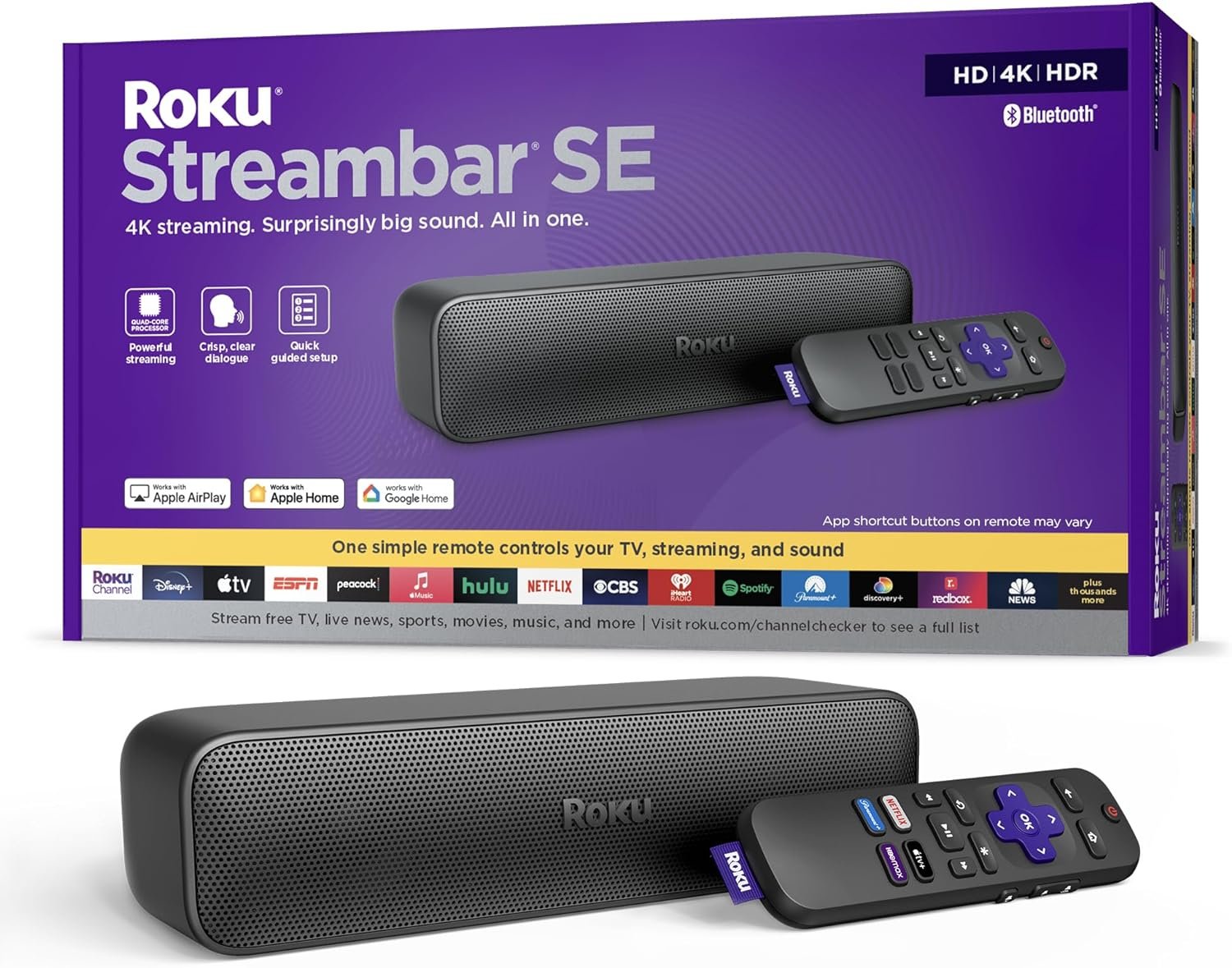
The Importance of Choosing the Right Home Entertainment Device
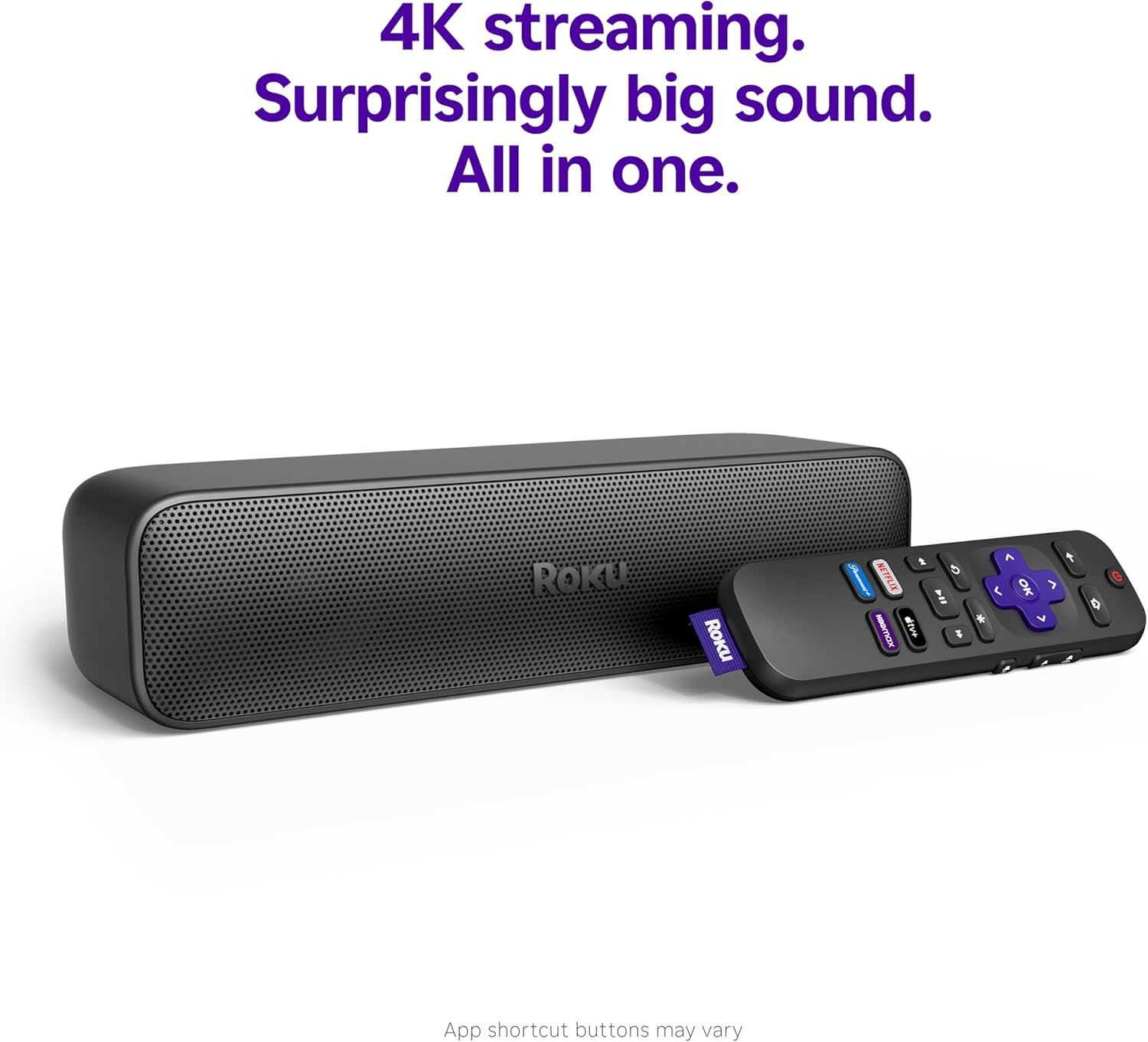
In the fast-evolving landscape of home entertainment, selecting the right device can significantly impact the quality of your viewing experience. For households with smaller or older televisions, the challenge of achieving immersive audio and seamless streaming often becomes a barrier to enjoyment. The Roku Streambar SE addresses these pain points by offering a compact, all-in-one solution that combines 4K streaming capabilities with enhanced sound quality. This device is particularly well-suited for users who prioritize simplicity, ease of setup, and budget-friendly performance without compromising on key features like enhanced speech clarity and compatibility with popular streaming services. Whether you’re a homeowner looking to upgrade a secondary TV in a bedroom or a renter seeking a discreet entertainment solution, the Streambar SE provides a versatile option that aligns with modern expectations for home audiovisual experiences. Its design and feature set make it an attractive choice for users who value straightforward integration with existing setups and minimal technical complexity. By focusing on core functionalities such as Bluetooth connectivity, HDMI compatibility, and a streamlined interface, the Streambar SE caters to a broad audience seeking reliable performance in a compact form factor.
Quick Overview
| Feature | Details |
|---|---|
| Device Category | 2-in-1 Soundbar and Streaming Device |
| Core Features | 4K HDR streaming, Bluetooth connectivity, Enhanced Speech Clarity, Auto Volume Leveler |
| Voice Assistant/Platform Support | No built-in voice assistant, compatible with Roku ecosystem |
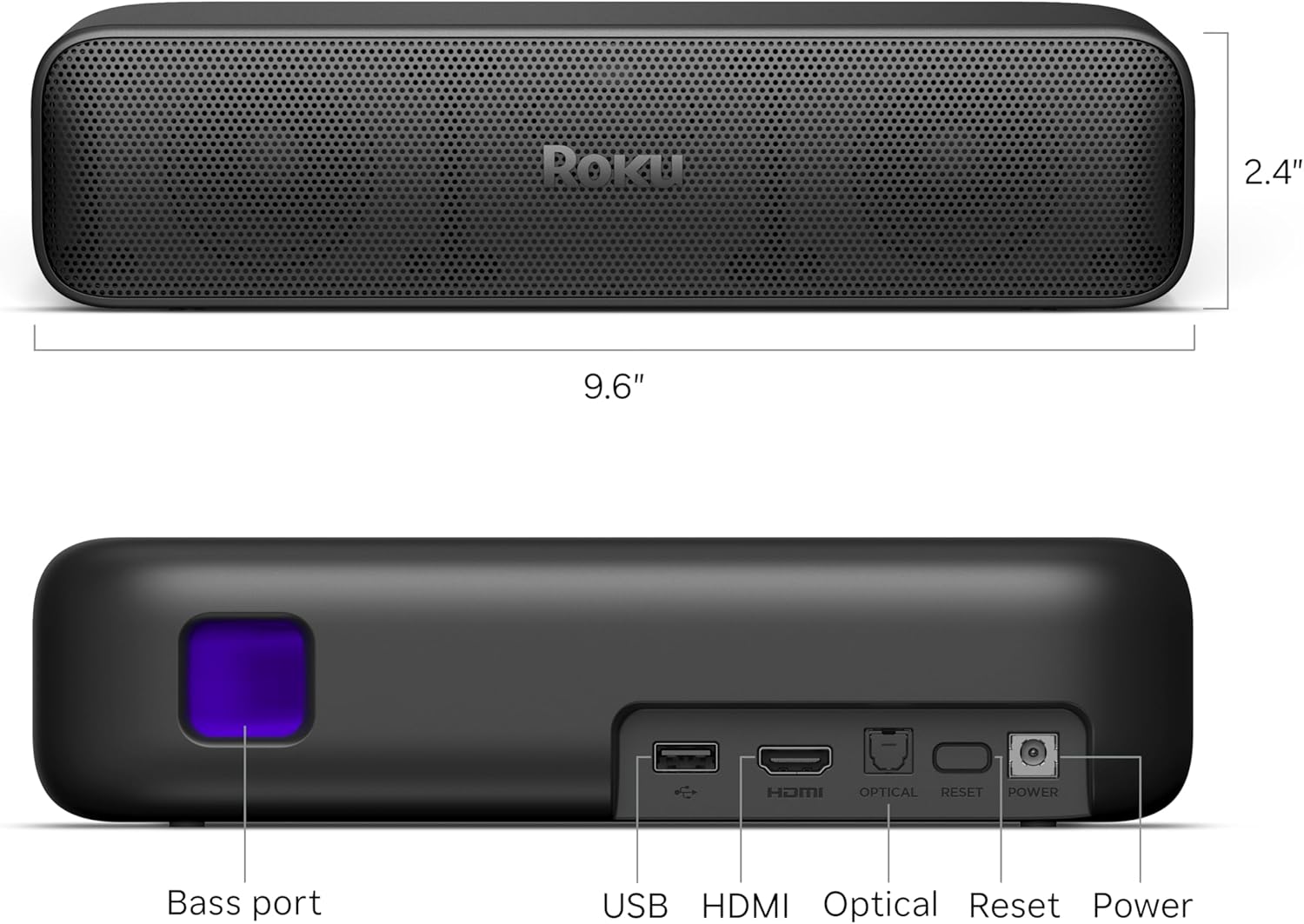
| Connectivity & Compatibility | HDMI, Optical, Wi-Fi, Bluetooth; works with Hulu, Netflix, YouTube, Prime Video |
| Supported Ecosystems | Roku platform, compatible with wireless headphones and mobile devices |
| Intended Users | Homeowners with small TVs, renters, users seeking simplified setup |
| Warranty/Support | Standard Roku warranty, customer support via app and phone |
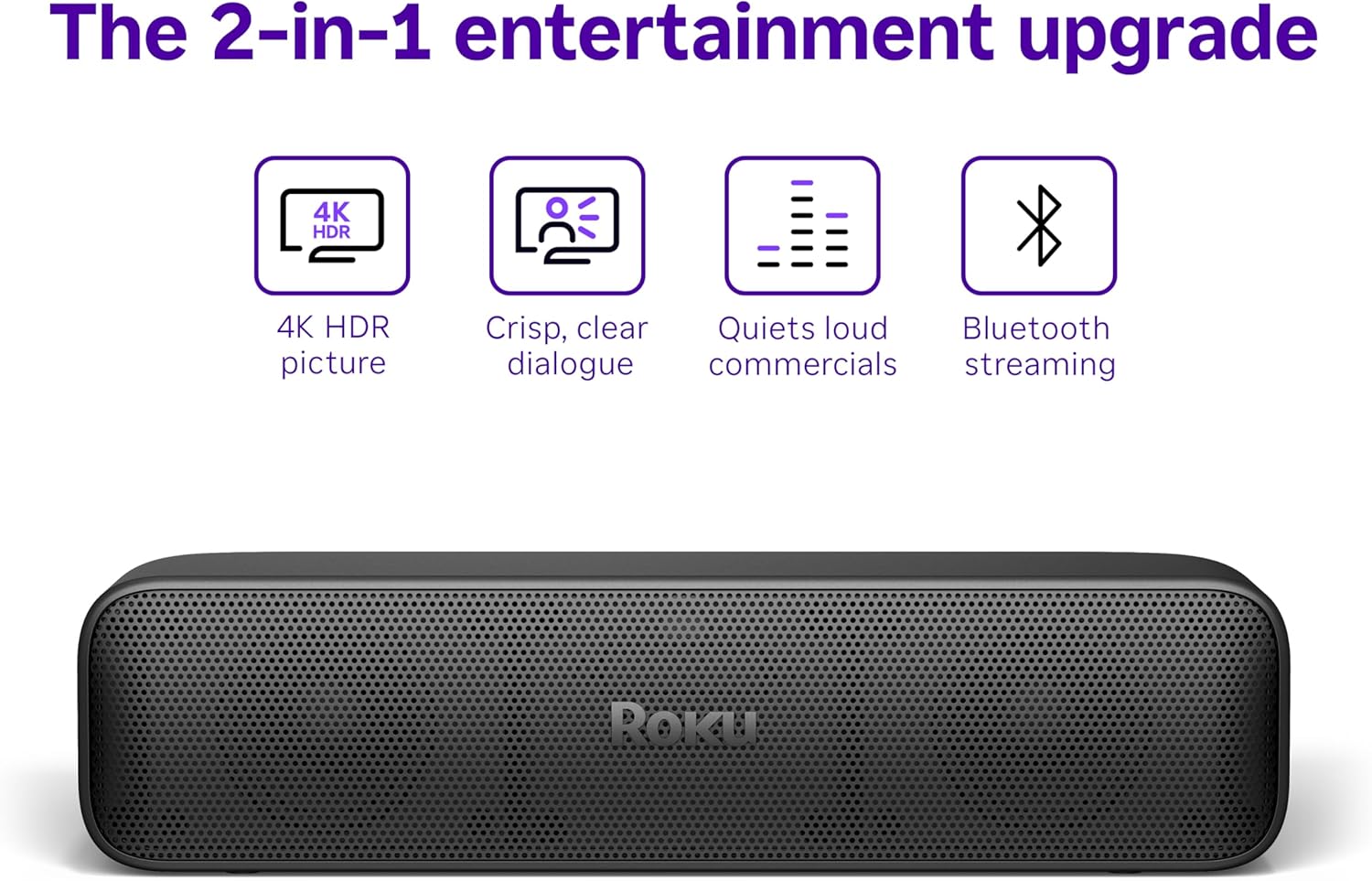
The Roku Streambar SE’s combination of streaming and audio enhancement capabilities makes it ideal for users who prioritize ease of use and compatibility with existing home setups. Its ability to deliver clear dialogue and dynamic sound without requiring complex configuration aligns with the needs of households seeking a straightforward upgrade to their entertainment experience.
Ease of Setup and Out-of-the-Box Usability
The Streambar SE is designed with simplicity in mind, ensuring that users can begin enjoying its features with minimal effort. The guided setup process eliminates the need for technical expertise, as the device automatically configures essential settings upon connection to the internet. This streamlined approach reduces the likelihood of user errors and ensures a smoother onboarding experience compared to traditional soundbars that require manual calibration. The inclusion of all necessary components in the box further enhances accessibility, as users do not need to purchase additional cables or accessories. By focusing on intuitive controls and a user-friendly interface, the Streambar SE caters to a wide range of users, including those with limited technical knowledge. This emphasis on usability is particularly beneficial for households where multiple users may interact with the device, as it minimizes the learning curve associated with setup and operation.
Simplified Setup Process
The guided setup experience is one of the standout features of the Streambar SE, as it significantly reduces the time and effort required to begin using the device. Upon plugging the unit into the TV and connecting to the internet, the device automatically detects available streaming services and configures them for immediate use. This automated configuration ensures that users can access their preferred content without needing to navigate through complex menus or troubleshoot connectivity issues. The absence of a voice assistant or advanced smart home integration means that the setup remains focused on core functionalities, avoiding unnecessary complexity. This approach is particularly advantageous for users who prioritize straightforward operation over additional features, as it ensures a hassle-free experience from the outset.
Intuitive Controls and User Interface
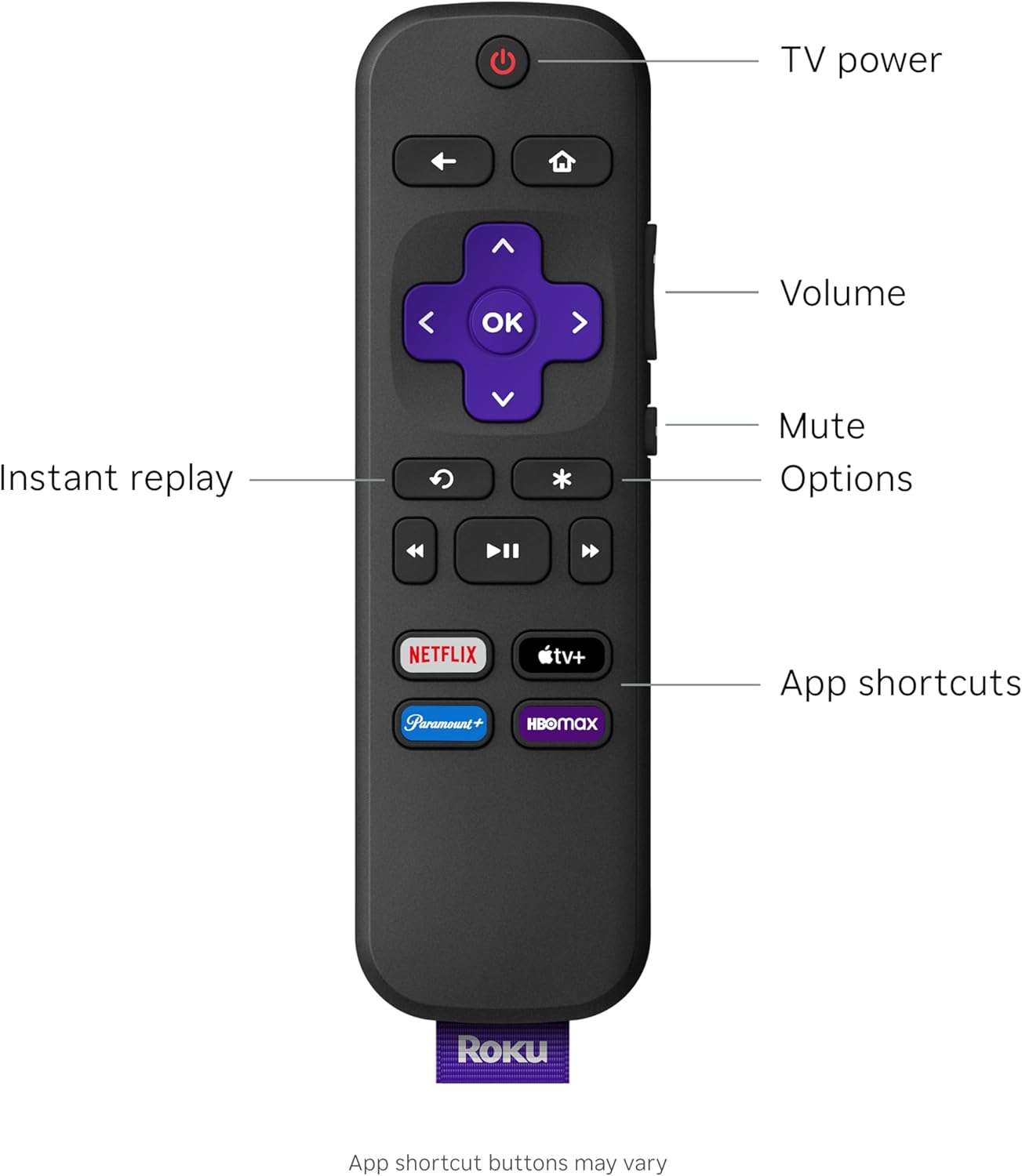
The Streambar SE’s interface is designed to be user-friendly, with a layout that emphasizes ease of navigation and quick access to frequently used functions. The remote control and app-based controls provide multiple options for managing the device, catering to different user preferences. The absence of a voice assistant means that interactions are primarily through physical buttons or the companion app, which may be more intuitive for users who prefer tactile feedback. The interface’s simplicity also extends to its streaming capabilities, as the device organizes content in a way that minimizes the need for advanced technical knowledge. This design philosophy ensures that the Streambar SE remains accessible to a broad audience, including users who may not be familiar with more complex smart home devices.
Minimal Technical Requirements
The Streambar SE is engineered to operate with minimal technical requirements, making it an attractive option for users who may not have the resources or expertise to manage more complex systems. The device does not require additional hardware or software beyond its included components, which simplifies the overall ownership experience. This approach also reduces the potential for compatibility issues, as the device is designed to work seamlessly with a wide range of TVs and internet services. The lack of advanced features such as smart home integration or voice control further reinforces its focus on core usability, ensuring that users can enjoy its benefits without the need for extensive technical knowledge or setup.
Sound Quality and Audio Performance
The Streambar SE delivers a notable improvement in audio quality compared to standard TV speakers, offering a more immersive listening experience through its dual premium speakers and dedicated bass port. This configuration allows for dynamic sound reproduction, enhancing both dialogue clarity and environmental effects. The inclusion of Enhanced Speech Clarity technology ensures that users can easily follow conversations, even in noisy environments, making it particularly suitable for households with multiple users or background activity. The Auto Volume Leveler feature further enhances the listening experience by automatically adjusting volume levels to maintain consistent audio output, which is especially beneficial for content with varying sound dynamics. These audio enhancements make the Streambar SE a compelling choice for users who prioritize clear dialogue and balanced sound without the need for additional audio equipment.

Dual Speakers and Bass Port Design
The Streambar SE’s dual speaker configuration, combined with a dedicated bass port, contributes to its ability to deliver a rich and balanced audio experience. The two premium speakers work in tandem to produce a wide soundstage, enhancing the overall immersion of the viewing experience. The bass port allows for deeper, more resonant low-frequency sounds, which adds depth to music and movie content. This design is particularly advantageous for users who enjoy a variety of content types, as it ensures that both dialogue and background music are clearly audible. The absence of a subwoofer means that the device maintains a compact form factor, making it suitable for smaller spaces where additional hardware may not be feasible.
Enhanced Speech Clarity and Dialogue Focus
One of the key audio features of the Streambar SE is its Enhanced Speech Clarity technology, which is designed to make dialogue more intelligible, even in challenging acoustic environments. This feature uses advanced audio processing to prioritize human voices, ensuring that users can follow conversations without difficulty. This is particularly beneficial for households with multiple users, as it reduces the likelihood of missing important dialogue. The Auto Volume Leveler further complements this by automatically adjusting volume levels to maintain consistent audio output, which helps prevent sudden loud noises that could disrupt the viewing experience. Together, these features make the Streambar SE an excellent choice for users who prioritize clear and consistent audio performance.
Balanced Sound and Environmental Effects
The Streambar SE’s audio processing capabilities ensure that both dialogue and environmental effects are clearly audible, creating a more immersive listening experience. The device’s ability to balance these elements is particularly beneficial for content that relies on sound cues to enhance the narrative, such as action movies or dramas. The absence of a subwoofer means that the device maintains a focus on mid and high-frequency sounds, which are essential for clear dialogue and detailed soundscapes. This design is well-suited for users who prioritize clarity and balance over deep bass, making it an ideal choice for those who enjoy a wide range of content types without the need for additional audio equipment.
Ecosystem Integration and Compatibility
The Streambar SE is designed to integrate seamlessly with a variety of streaming services and home entertainment setups, making it a versatile option for users who prioritize compatibility. Its support for popular platforms such as Hulu, Netflix, YouTube, and Prime Video ensures that users can access a wide range of content without the need for additional devices. The device’s ability to work with wireless headphones via Bluetooth adds another layer of flexibility, allowing users to enjoy personalized audio experiences. However, the absence of a voice assistant or advanced smart home integration means that the device remains focused on core functionalities, which may be a consideration for users seeking more comprehensive ecosystem support.

Streaming Service Compatibility
The Streambar SE’s compatibility with major streaming services such as Hulu, Netflix, YouTube, and Prime Video makes it an attractive option for users who rely on these platforms for their entertainment needs. This broad compatibility ensures that users can access their preferred content without the need for additional devices or subscriptions. The device’s ability to automatically detect and configure these services during the setup process further enhances its usability, as it eliminates the need for manual configuration. This feature is particularly beneficial for users who may not have the technical expertise to navigate complex setup procedures, ensuring a smoother onboarding experience.
Bluetooth Connectivity for Wireless Headphones
The inclusion of Bluetooth connectivity allows users to pair their favorite wireless headphones with the Streambar SE, providing a more personalized audio experience. This feature is particularly useful for users who prefer to listen to content privately or in environments where traditional speakers may not be ideal. The ability to stream music from mobile devices further expands the device’s versatility, making it suitable for a wide range of use cases. However, the reliance on Bluetooth connectivity means that users may need to manage additional settings to ensure optimal performance, which could be a minor inconvenience for some.
Limited Smart Home Integration
While the Streambar SE offers a range of compatibility features, its lack of advanced smart home integration may be a limitation for users who rely on voice assistants or smart home ecosystems. The absence of a built-in voice assistant means that users must rely on physical controls or the companion app for navigation, which may be less convenient for those accustomed to voice-activated commands. This limitation is particularly relevant for users who have already invested in other smart home devices, as it may reduce the device’s appeal in terms of ecosystem integration. However, for users who prioritize simplicity and ease of use, this design choice may be a welcome trade-off.
Privacy and Security Considerations
The Streambar SE is designed with privacy and security in mind, incorporating features that help protect user data and ensure a secure streaming experience. The device does not include a built-in voice assistant, which reduces the potential for data collection through voice commands. However, the use of Wi-Fi and Bluetooth connectivity means that users should be mindful of their network security settings to prevent unauthorized access. The device’s reliance on the Roku platform for streaming services also means that users should ensure they are using official accounts and services to avoid potential security risks. These considerations are important for users who are concerned about data privacy and want to ensure that their streaming activities remain secure.
Data Collection and User Privacy
The Streambar SE does not include a built-in voice assistant, which minimizes the risk of data collection through voice commands. This design choice helps protect user privacy by reducing the amount of personal data that could be stored or transmitted. However, the device’s reliance on Wi-Fi and Bluetooth connectivity means that users should ensure their networks are secure to prevent unauthorized access to their streaming activities. The absence of a voice assistant also means that users do not need to worry about potential data breaches related to voice recognition technology, which is a significant advantage for privacy-conscious consumers.
Network Security and User Accounts
To ensure a secure streaming experience, users should configure their network settings to prevent unauthorized access to the Streambar SE. This includes using strong passwords for Wi-Fi networks and ensuring that the device is connected to a trusted network. Additionally, users should ensure that they are using official accounts and services for streaming content, as third-party services may pose security risks. The device’s integration with the Roku platform also means that users should be cautious about granting permissions to third-party apps, as these could potentially access sensitive information. These security measures are essential for users who want to protect their data and ensure that their streaming activities remain private.
Compliance with Industry Standards
The Streambar SE adheres to industry-standard security practices, ensuring that user data is protected through encryption and secure authentication protocols. These measures help prevent unauthorized access to the device and its associated services, providing users with peace of mind. The device’s design also avoids unnecessary data collection, which is a key factor in maintaining user privacy. While the absence of a voice assistant reduces the potential for data collection, users should still take standard security precautions to ensure that their streaming experience remains secure. These measures are particularly important for users who are concerned about data privacy and want to minimize the risk of unauthorized access to their personal information.
Pros & Cons
Pros
- Simplified Setup Process: The guided setup experience ensures that users can begin using the device with minimal effort, eliminating the need for technical expertise.
- Enhanced Speech Clarity: The device’s focus on clear dialogue makes it ideal for users who prioritize intelligible audio, particularly in noisy environments.
- Dual Speakers and Bass Port: The combination of dual speakers and a dedicated bass port delivers a balanced and immersive sound experience without requiring additional hardware.
- Compatibility with Major Streaming Services: The support for Hulu, Netflix, YouTube, and Prime Video ensures that users can access a wide range of content without additional devices.
- Bluetooth Connectivity: The ability to pair wireless headphones provides a more personalized audio experience, expanding the device’s versatility.
- User-Friendly Interface: The intuitive controls and streamlined navigation make the device accessible to a broad range of users, including those with limited technical knowledge.
- Compact Design: The device’s small footprint makes it suitable for smaller spaces, such as bedrooms or apartments, without compromising on audio quality.
- Auto Volume Leveler: This feature helps maintain consistent audio output, preventing sudden volume changes that could disrupt the viewing experience.
Cons
- Limited Smart Home Integration: The absence of a built-in voice assistant or advanced smart home features may be a drawback for users who rely on ecosystem integration.
- No Voice Assistant Support: The lack of a voice assistant means that users must rely on physical controls or the companion app for navigation, which may be less convenient for some.
- Dependence on Wi-Fi and Bluetooth: The device’s reliance on these connectivity options requires users to manage network settings carefully to ensure optimal performance.
- No Subwoofer Included: While the dual speakers and bass port provide a balanced sound experience, the absence of a subwoofer may limit the depth of low-frequency sounds for some users.
- Limited App Support: The device’s compatibility with streaming services is well-documented, but it may not support all third-party apps, which could be a limitation for users with specific preferences.
- No Physical Buttons for Advanced Controls: The device’s reliance on the companion app and remote control may be less intuitive for users who prefer direct physical controls.
- Potential for Network Vulnerabilities: While the device adheres to standard security practices, users should still take precautions to protect their network and data privacy.
Final Verdict: Who This Device Is Best For (and Who Should Skip It)
The Roku Streambar SE is an excellent choice for users who prioritize simplicity, ease of setup, and clear audio performance without the need for advanced smart home integration. It is particularly well-suited for households with smaller TVs or secondary entertainment setups, as its compact design and focused features make it ideal for spaces where additional hardware may not be feasible. The device’s compatibility with major streaming services and support for wireless headphones further enhance its versatility, making it a practical option for users who value straightforward operation and minimal technical complexity. However, it may not be the best choice for users who require advanced smart home integration, voice assistant support, or a more immersive audio experience with deep bass capabilities. For those seeking a balance between performance and ease of use, the Streambar SE offers a compelling solution that aligns with the needs of a broad audience in 2026.

Frequently Asked Questions (FAQs)
How easy is it to set up the Roku Streambar SE?
The Roku Streambar SE is designed for simple, guided setup. Users connect the device to their TV and internet, and the system automatically configures streaming services, eliminating the need for technical expertise.
Can the Roku Streambar SE improve dialogue clarity?
Yes, the Streambar SE features Enhanced Speech Clarity technology, which prioritizes human voices to ensure clear dialogue, even in noisy environments. This is particularly beneficial for users who prioritize intelligible audio.
What streaming services are compatible with the Roku Streambar SE?
The Streambar SE supports popular services like Hulu, Netflix, YouTube, and Prime Video. It does not include built-in support for third-party apps beyond these major platforms.
Does the Roku Streambar SE support wireless headphones?
Yes, the device includes Bluetooth connectivity, allowing users to pair wireless headphones for a personalized audio experience. This feature also enables streaming music from mobile devices.
Is the Roku Streambar SE suitable for small spaces?
The compact design of the Streambar SE makes it ideal for smaller spaces such as bedrooms or apartments. Its dual speakers and bass port provide balanced sound without requiring additional hardware.
What are the limitations of the Roku Streambar SE?
The Streambar SE lacks advanced smart home integration and a built-in voice assistant. Users must rely on physical controls or the companion app, which may be less convenient for some.
How does the Auto Volume Leveler work on the Roku Streambar SE?
The Auto Volume Leveler automatically adjusts volume levels to maintain consistent audio output, preventing sudden loud noises that could disrupt the viewing experience. This feature enhances overall listening comfort.
Can the Roku Streambar SE be used with older televisions?
Yes, the Streambar SE is compatible with older TVs through HDMI or optical connections. Its focus on simplicity and ease of use makes it an excellent upgrade option for smaller or vintage television setups.