
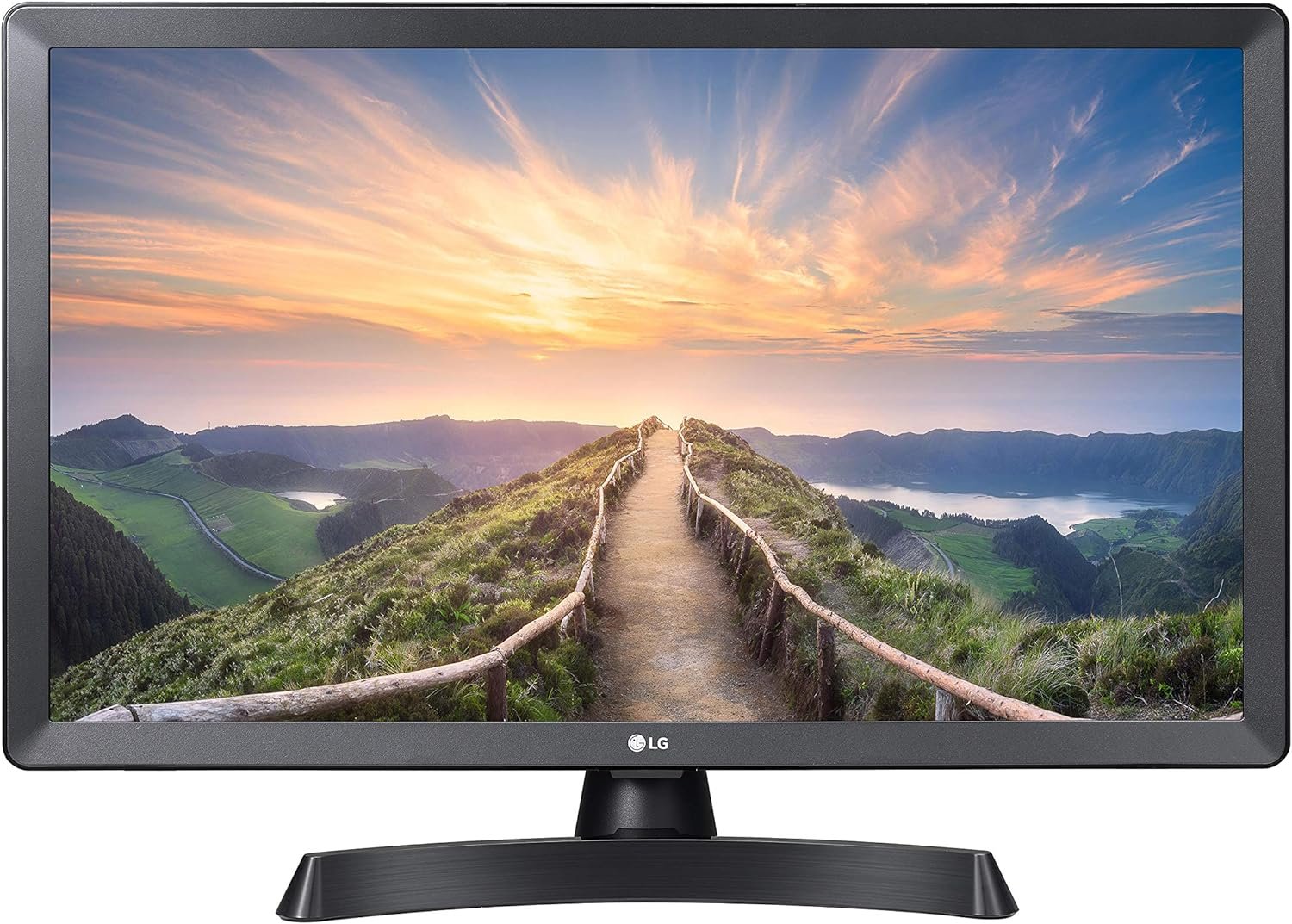
The Importance of Choosing the Right Smart TV for Modern Living
In today’s fast-paced digital environment, selecting the right smart TV can significantly impact both entertainment and productivity. As households increasingly rely on devices that serve dual purposes—such as combining television with computer functionality—the demand for versatile, user-friendly displays has grown. The LG 24LM530S-PU 24-Inch HD webOS 3.5 Smart TV represents a strategic solution for users seeking a balance between traditional TV viewing and modern computing needs. Its dual-purpose design, intuitive interface, and compatibility with popular streaming services make it an attractive option for both casual viewers and remote workers. This review evaluates the device’s core features, usability, and integration potential within smart home ecosystems to help buyers determine if it aligns with their specific requirements.
Quick Overview
| Feature | Details |
|---|---|
| Device Category | 24-Inch HD Smart TV with Monitor Functionality |
| Core Features | webOS 3.5, Magic Remote, Built-In Wi-Fi, Wide Viewing Angle |
| Voice Assistant | No built-in Alexa or Google Assistant |
| Connectivity | HDMI, USB, Wi-Fi |
| Supported Ecosystems | LG webOS, Third-Party Apps |
| Intended Users | Homeowners, Remote Workers, Streaming Enthusiasts |
| Warranty Coverage | Standard manufacturer warranty |
The LG 24LM530S-PU’s dual-purpose design and webOS 3.5 platform position it as a practical choice for users prioritizing flexibility and ease of use. Its ability to function as both a television and a computer monitor addresses the growing need for multifunctional devices in modern living spaces.

Display Performance: HD Resolution and Color Accuracy
The LG 24LM530S-PU’s display capabilities form the foundation of its user experience. As an HD television, it delivers 768p resolution, which ensures clear, detailed visuals for standard-definition content and basic HD streaming. While not the highest resolution available, this specification caters to users who prioritize affordability over ultra-high-definition capabilities. The LCD panel technology provides consistent brightness levels, though it may not match the dynamic range of OLED displays in darker environments.

Color Accuracy and Contrast
The TV’s color accuracy is optimized for standard HD content, with a focus on maintaining consistent color reproduction across different lighting conditions. While it does not support advanced color spaces like HDR, its wide viewing angle ensures that colors remain consistent even when viewed from off-center positions. This makes it suitable for environments where multiple viewers may access the screen simultaneously.
Viewing Angle and Brightness
The wide vertical and horizontal viewing angles enhance usability in shared spaces, allowing multiple users to view content without significant degradation in image quality. However, brightness levels may fluctuate in low-light settings, which could affect the overall viewing experience. Users in well-lit environments may find the display sufficiently vibrant for everyday use.
Smart Features: WebOS 3.5 and App Integration
The LG 24LM530S-PU’s smart capabilities are centered around its webOS 3.5 platform, which provides access to a curated selection of streaming services, games, and web-based applications. This ecosystem enables users to navigate content through the Magic Remote, which combines traditional TV controls with a touchpad for smoother navigation. While the interface is intuitive, its functionality is limited to LG’s proprietary apps and third-party services that support webOS integration.

App Availability and Streaming Services
The TV supports popular streaming platforms such as YouTube, Netflix, and Hulu, though the availability of certain apps may depend on regional restrictions. The webOS 3.5 interface organizes these services into a centralized hub, reducing the need to switch between multiple devices. However, users who rely on voice-activated assistants like Alexa or Google Assistant may find the lack of built-in voice control to be a limitation.
Web Browsing and Compatibility
The built-in browser allows users to access the internet directly from the TV, though performance may be slower compared to dedicated computing devices. While this feature is useful for streaming or checking news, it is not optimized for complex web tasks. Compatibility with webOS-based apps ensures a seamless experience for users who primarily engage with streaming content and basic online services.
Connectivity and Setup: Built-In Wi-Fi and Compatibility
The LG 24LM530S-PU’s connectivity options are designed to simplify setup and enhance integration with other devices. The built-in Wi-Fi functionality enables users to stream content from smartphones or tablets without the need for additional cables. This feature is particularly beneficial for users who frequently mirror content from mobile devices onto a larger screen.

HDMI and USB Ports
The inclusion of HDMI and USB ports provides flexibility for connecting external devices such as gaming consoles, sound systems, or USB drives. While the number of ports is limited, they are strategically placed for easy access. Users who require multiple connections may need to invest in a hub or additional accessories.
Compatibility with Smart Home Ecosystems
Although the TV does not support direct integration with Alexa or Google Assistant, it can still function within a broader smart home setup through third-party devices. For example, users can control the TV’s power state using a smart plug or integrate it with a universal remote that supports multiple platforms. This limitation may affect users who prioritize seamless voice control across their home devices.
Design and Usability: Dual-Purpose Functionality and Setup
The LG 24LM530S-PU’s dual-purpose design is its most distinctive feature, offering users the ability to use the device as both a television and a computer monitor. This functionality is particularly appealing to users who require a secondary display for work or entertainment purposes. The compact size and sleek design make it suitable for placement on desks, shelves, or in living areas without taking up excessive space.

Setup and User Experience
The setup process is straightforward, with clear on-screen instructions guiding users through initial configuration. The Magic Remote provides a responsive interface, though its touchpad may require some adjustment for users accustomed to more advanced remote controls. The absence of a built-in voice assistant may necessitate additional steps for users who prefer voice-activated commands.
Physical Design and Durability
The TV’s lightweight build and durable plastic casing make it resistant to minor impacts, though it is not designed for heavy-duty use. The stand provides stable support, but users who prefer wall mounting may need to invest in an additional mount. The overall design prioritizes practicality over aesthetic appeal, making it a functional choice for users who value utility over style.
Privacy and Security Considerations
As a smart TV, the LG 24LM530S-PU includes features that address privacy and security concerns, though its capabilities are limited compared to more advanced models. The built-in browser and webOS 3.5 platform are designed with standard security protocols to protect user data. However, users should be aware of potential risks associated with streaming services and third-party apps, which may collect user data for advertising purposes.

Data Collection and User Control
While the TV does not actively collect personal data beyond standard usage metrics, users should review the privacy settings of connected apps and streaming services. The lack of a built-in voice assistant means that voice commands are not stored or processed by the TV itself, reducing the risk of data exposure. However, users who rely on third-party apps should ensure that these services comply with their privacy policies.
Security Updates and Maintenance
LG’s commitment to security updates ensures that the TV receives regular patches to address vulnerabilities. Users should check for firmware updates through the webOS interface to maintain optimal security. While the device does not support advanced security features like biometric authentication, its standard security protocols provide a baseline level of protection for typical usage scenarios.
Pros & Cons
Pros
- Dual-Purpose Design: Functions as both a television and a computer monitor, offering versatility for home and work environments.
- Intuitive WebOS 3.5 Interface: Streamlines access to streaming services and web-based applications with a user-friendly layout.
- Built-In Wi-Fi: Simplifies content mirroring from mobile devices without the need for additional cables.
- Wide Viewing Angle: Ensures consistent image quality for multiple viewers in shared spaces.
- Affordable Price Point: Offers a cost-effective solution for users seeking basic smart TV functionality.
- Compact and Lightweight: Easy to place in various locations without occupying excessive space.
- Compatibility with Third-Party Apps: Supports a range of streaming services and web-based applications through the webOS ecosystem.
Cons
- Limited Resolution: 768p resolution may not satisfy users seeking higher-definition content.
- No Built-In Voice Assistant: Lacks direct integration with Alexa or Google Assistant, requiring additional accessories for voice control.
- Basic Smart Features: WebOS 3.5 offers fewer advanced capabilities compared to more recent smart TV platforms.
- Limited Connectivity Ports: Only two ports (HDMI and USB) may restrict the number of devices that can be connected simultaneously.
- No HDR Support: Cannot display high dynamic range content, which may affect the visual quality of certain streaming services.
- Dependence on Third-Party Apps: Reliance on external services for advanced functionality may introduce compatibility issues or data privacy concerns.
Final Verdict: Who This Device Is Best For (and Who Should Skip It)
The LG 24LM530S-PU Smart TV is best suited for users who prioritize versatility and affordability over advanced smart features. Its dual-purpose design and webOS 3.5 platform make it an ideal choice for households that require a secondary display for work or entertainment, as well as casual viewers who primarily engage with streaming services. The built-in Wi-Fi and wide viewing angle further enhance its usability in shared spaces.
However, users who demand higher-resolution displays, advanced smart features, or seamless integration with voice assistants should consider alternative options. The lack of HDR support and limited connectivity ports may also be drawbacks for tech-savvy users or those who rely on specialized applications. For those seeking a budget-friendly, multifunctional display without the need for cutting-edge capabilities, the LG 24LM530S-PU remains a practical and reliable choice.
Frequently Asked Questions (FAQs)
Does the LG 24LM530S-PU support 4K resolution?
The LG 24LM530S-PU offers 768p HD resolution, which provides clear visuals for standard-definition and basic HD content. It does not support 4K or ultra-high-definition capabilities, making it suitable for users prioritizing affordability over higher resolution.
Can I use the LG 24LM530S-PU as a computer monitor?
Yes, the LG 24LM530S-PU functions as both a television and a computer monitor. Its dual-purpose design allows users to connect external devices like laptops or gaming consoles, making it versatile for both entertainment and work environments.
Does the LG 24LM530S-PU have built-in voice control?
The LG 24LM530S-PU does not include a built-in voice assistant like Alexa or Google Assistant. However, users can integrate it with third-party voice-controlled devices or use the Magic Remote for navigation without voice commands.
What streaming services are compatible with this TV?
The LG 24LM530S-PU supports popular streaming platforms such as YouTube, Netflix, and Hulu through its webOS 3.5 interface. Availability may vary depending on regional restrictions and app compatibility with the platform.
How easy is it to set up the LG 24LM530S-PU?
The setup process for the LG 24LM530S-PU is straightforward, with on-screen instructions guiding users through initial configuration. The Magic Remote provides a responsive interface, though some users may need time to adjust to its touchpad functionality.
Can the LG 24LM530S-PU be used with smart home devices?
While the LG 24LM530S-PU does not support direct integration with Alexa or Google Assistant, it can function within a smart home setup through third-party devices. Users can control the TV’s power state using a smart plug or a universal remote that supports multiple platforms.
What are the connectivity options for this TV?
The LG 24LM530S-PU includes HDMI and USB ports for connecting external devices such as gaming consoles, sound systems, or USB drives. Its built-in Wi-Fi enables seamless content mirroring from mobile devices without additional cables.
Is the LG 24LM530S-PU suitable for gaming?
The LG 24LM530S-PU is not optimized for gaming due to its 60 Hz refresh rate and lack of HDMI 2.1 support. However, it can still be used for casual gaming through compatible consoles or external devices connected via HDMI.