
The Importance of Choosing the Right Amazon Device for Content Creation
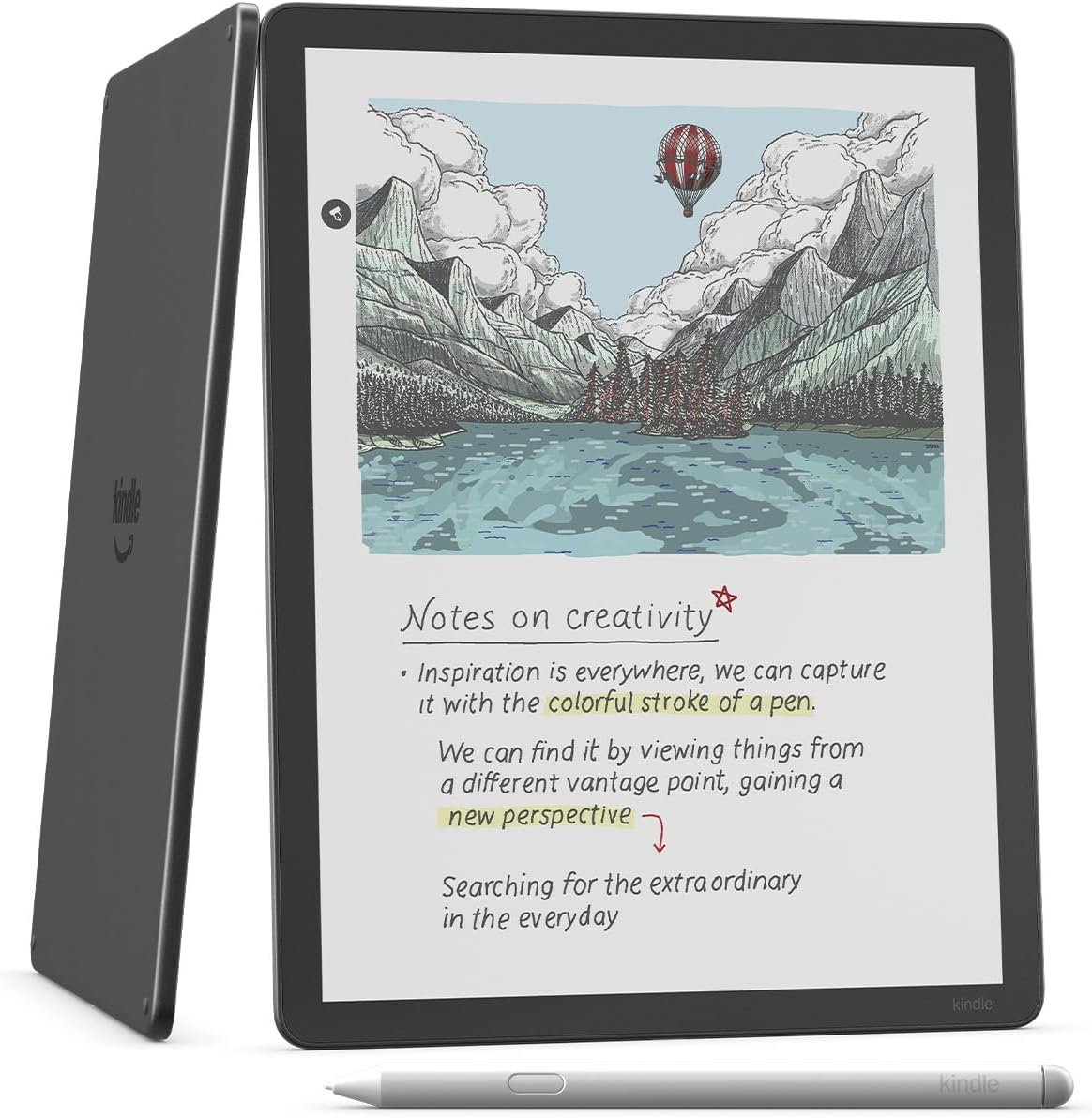
In 2026, the demand for versatile, intuitive devices that support creative workflows has surged. Whether you’re a writer, student, or professional, the right Amazon device can transform how you consume, create, and organize information. The Kindle Scribe Colorsoft 64GB is designed for users who need a seamless blend of reading, writing, and digital note-taking capabilities. Its 11” color display, AI-powered tools, and integration with cloud services make it a compelling option for those seeking a device that adapts to their workflow. However, with a range of Amazon devices available, understanding how the Kindle Scribe aligns with specific needs is critical. This review evaluates its features, usability, and ecosystem compatibility to help users determine if it’s the right choice for their creative or academic pursuits. By focusing on key factors like display technology, writing experience, and cloud integration, this analysis provides a data-driven perspective on its strengths and limitations.
Quick Overview
| Feature | Details |
|---|---|
| Device Category | E-Reader with writing capabilities |
| Core Features | 11” Colorsoft display, AI tools, cloud integration, front light |
| Voice Assistant Support | Alexa |
| Connectivity and Compatibility | Wi-Fi, Bluetooth, USB-C |
| Supported Ecosystems | Amazon Alexa, Google Drive, Microsoft OneDrive |
| Intended Users | Writers, students, professionals needing note-taking tools |
| Warranty and Support | 1-year limited warranty, Amazon customer service |
The Kindle Scribe Colorsoft 64GB combines a paper-like display with digital functionality, making it suitable for users who need both reading and writing capabilities. Its integration with cloud services and Alexa enhances its utility for managing notes, documents, and daily tasks. However, its specialized focus on writing and note-taking may limit its appeal for casual readers or those prioritizing multimedia features.
Display Technology and Visual Comfort
The Kindle Scribe Colorsoft 64GB’s 11” display is its standout feature, offering a paper-like experience that reduces eye strain during extended use. The oxide-based Colorsoft display technology ensures high-contrast visuals while minimizing distracting flashes when writing. This is particularly beneficial for users who spend long hours taking notes or reading digital content. The front light system further enhances readability by adjusting brightness based on ambient conditions, making it ideal for use in various lighting environments. However, the display’s color accuracy may vary depending on the content type, which could affect its suitability for professional-grade color-sensitive tasks.

Color Accuracy and Environmental Adaptability
The Colorsoft display is engineered to deliver accurate color reproduction for text and basic graphics, though its performance with complex visual elements may be limited. Users working with detailed diagrams or illustrations may find the display’s capabilities insufficient. The front light’s adaptive brightness ensures visibility in low-light settings without overwhelming the eyes, but it may not fully replicate the natural light conditions of a physical notebook. This makes the device particularly well-suited for users who prioritize readability over advanced color fidelity.
Textured Surface and Responsiveness
The device’s textured surface mimics the feel of paper, providing a tactile experience that enhances the writing process. The ultra-fast responsiveness of the display ensures that handwritten notes appear almost instantaneously, reducing the cognitive load of tracking pen movements. This feature is especially valuable for users who rely on handwritten annotations for comprehension. However, the textured surface may accumulate fingerprints or smudges, requiring frequent cleaning to maintain optimal visibility. The balance between tactile feedback and practicality is a key consideration for potential buyers.
AI Tools and Productivity Enhancements
The Kindle Scribe Colorsoft 64GB’s built-in AI tools are designed to streamline note-taking and information retrieval. Features like the AI-powered notebook allow users to search for specific content or ask questions about their notes, generating summaries or refining handwriting. This functionality can significantly improve productivity for students or professionals managing complex projects. However, the effectiveness of these tools depends on the quality and structure of the input data, which may vary across different use cases. The integration with cloud services like Google Drive and Microsoft OneDrive further enhances the device’s utility by enabling seamless document management and collaboration.

Document Management and Cloud Integration
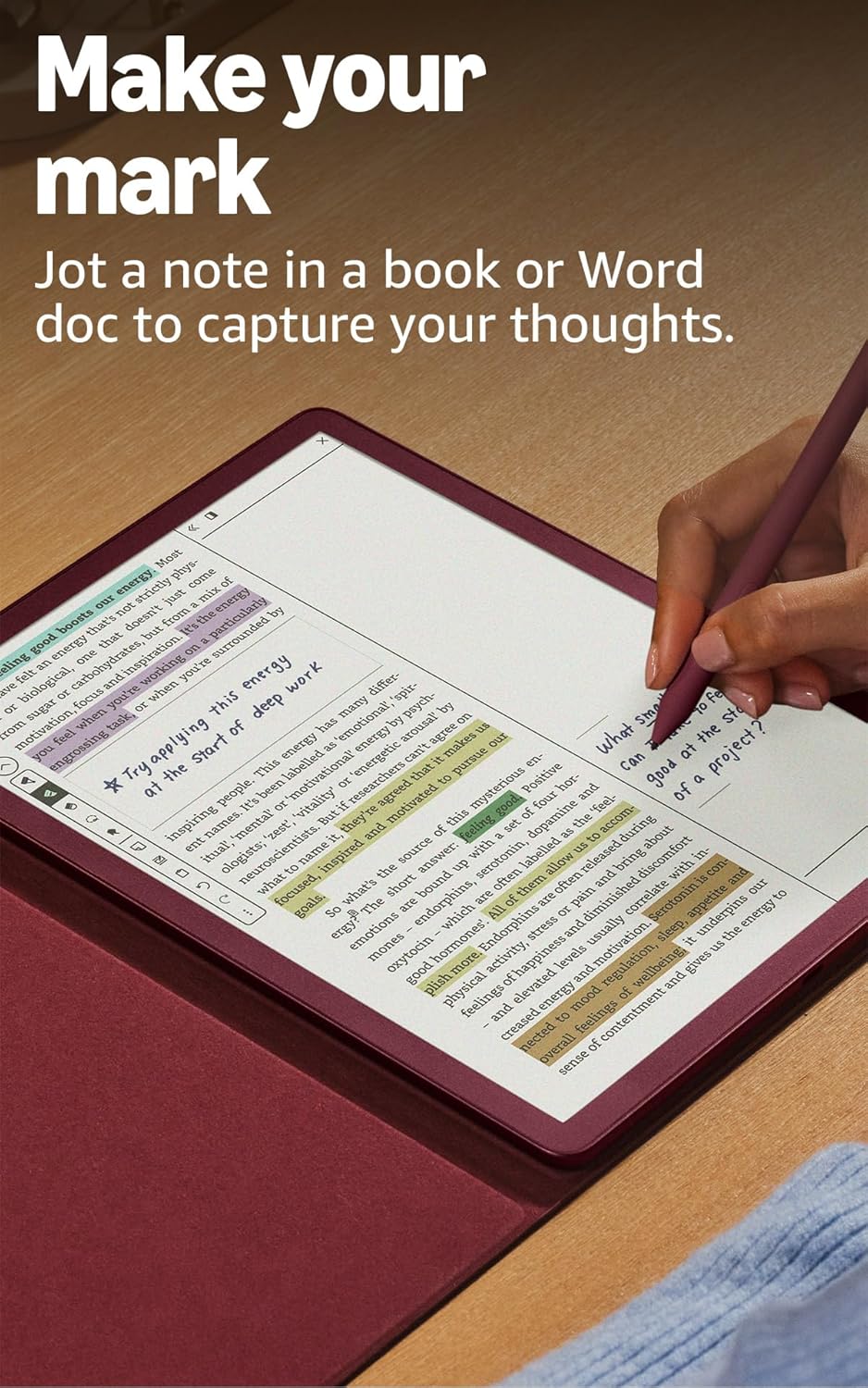
The device’s ability to import documents from Google Drive and Microsoft OneDrive allows users to annotate and mark up files directly on the tablet. This feature is particularly useful for users who need to review and edit documents on the go. The export functionality to Microsoft OneNote ensures compatibility with other productivity tools, though the process may require additional steps for users unfamiliar with cloud workflows. The seamless integration with Amazon’s ecosystem, including Alexa, adds convenience for managing tasks and accessing information.
Note-Taking and Information Retrieval
The Active Canvas feature automatically creates space for notes, expanding margins for additional content or collapsing them to view the original text. This dynamic approach to note-taking can help users organize their thoughts without disrupting the flow of reading. The AI-powered search functionality allows users to find information even if they don’t recall exact keywords, though the accuracy of results may depend on the device’s processing capabilities. For users who frequently take notes, this feature can save time and improve efficiency.
Portability and Design Considerations
The Kindle Scribe Colorsoft 64GB’s slim profile and lightweight design make it a practical choice for users who need a portable writing and reading device. Weighing just 400 grams and measuring 5.4mm in thickness, it is easy to carry in a bag or use during travel. The large 11” display provides ample space for writing, reading, and thinking, but its size may be less convenient for users who prefer compact devices. The device’s design prioritizes portability without compromising on functionality, though its durability in extreme conditions may be a concern for some users.

Battery Life and Charging Efficiency
While the device’s battery life is not explicitly detailed in its specifications, the inclusion of a Premium Pen that requires no charging suggests a focus on reducing dependency on external power sources. The front light’s energy consumption may impact battery longevity, especially during extended use. Users who frequently use the front light or write for long periods may need to consider the device’s power management capabilities. The absence of a dedicated charging port, aside from USB-C, could be a limitation for users who prioritize fast charging options.
Ecosystem Integration and Compatibility
The Kindle Scribe Colorsoft 64GB’s compatibility with Amazon’s ecosystem, including Alexa, enhances its usability for managing tasks and accessing information. However, its integration with third-party services like Google Drive and Microsoft OneDrive is limited to specific functionalities, which may not fully replace dedicated productivity tools. The device’s ability to work seamlessly within the Amazon ecosystem is a significant advantage for users who rely on Alexa for voice commands or cloud-based file management. However, its compatibility with other platforms may not meet the needs of users who prioritize cross-platform functionality.
Privacy and Security Considerations
The Kindle Scribe Colorsoft 64GB’s privacy features are aligned with Amazon’s broader security practices, including data encryption and secure cloud storage. The device’s integration with Alexa raises questions about data collection and user privacy, though Amazon has implemented measures to allow users to control data sharing. The AI-powered tools that process user notes and queries may involve data transmission to cloud servers, which could be a concern for users prioritizing data privacy. The absence of detailed privacy disclosures in the product documentation suggests that users should review Amazon’s security policies to understand how their data is handled.

Data Handling and User Control
The device’s data handling practices are consistent with Amazon’s approach to user data, which includes options for users to manage their privacy settings. However, the specifics of how user data is stored, processed, and shared are not fully detailed in the product specifications, which may be a drawback for users who require transparency. The integration with cloud services like Google Drive and Microsoft OneDrive adds another layer of data management, though users should be aware of the potential risks associated with third-party data storage. The lack of detailed privacy information in the product documentation could be a limitation for users who prioritize data security.
Security Features and Limitations
The Kindle Scribe Colorsoft 64GB’s security features are primarily focused on data encryption and secure cloud storage, though there are no explicit details about additional security measures such as biometric authentication or device encryption. The device’s reliance on cloud-based services for certain functionalities may introduce vulnerabilities if the cloud infrastructure is compromised. Users who require robust security features, such as hardware-based encryption or multi-factor authentication, may find the device’s capabilities insufficient. The absence of detailed security disclosures in the product documentation suggests that users should review Amazon’s security policies to fully understand the device’s protective measures.

Pros & Cons
Pros
- 11” Colorsoft Display: The paper-like color display with front light provides a comfortable reading and writing experience, reducing eye strain during prolonged use.
- AI-Powered Notebook: The built-in AI tools allow users to search for information, generate summaries, and refine handwriting, enhancing productivity for note-taking and research tasks.
- Cloud Integration: Seamless compatibility with Google Drive and Microsoft OneDrive enables users to import, annotate, and export documents directly from the device.
- Portable Design: The lightweight and slim profile make it easy to carry and use in various settings, from classrooms to work environments.
- Premium Pen Compatibility: The included Premium Pen requires no charging, offering a convenient writing experience without the need for frequent recharging.
- Alexa Integration: The device’s compatibility with Alexa allows users to manage tasks and access information through voice commands, enhancing usability.
Cons
- Limited Color Accuracy: While the display offers a paper-like experience, its color accuracy may not meet the requirements for professional-grade color-sensitive tasks.
- Learning Curve for AI Tools: The AI-powered notebook and search functionality may require some time to adapt to, especially for users unfamiliar with cloud-based productivity tools.
- Battery Life Concerns: The front light and writing functionality may impact battery longevity, requiring users to manage power consumption carefully.
- Limited Cross-Platform Compatibility: While the device integrates well with Amazon’s ecosystem, its compatibility with third-party platforms may not fully replace dedicated productivity tools.
- Privacy Transparency: The lack of detailed privacy disclosures in the product documentation may raise concerns for users prioritizing data security and transparency.
Final Verdict: Who This Device Is Best For (and Who Should Skip It)
The Kindle Scribe Colorsoft 64GB is best suited for users who prioritize a paper-like reading and writing experience with AI-powered tools for note-taking and document management. Writers, students, and professionals who need to annotate digital content, generate summaries, or manage research projects will find the device’s features particularly useful. Its integration with cloud services and Alexa enhances its utility for managing tasks and accessing information on the go. However, the device may not be the best fit for casual readers or users who prioritize multimedia capabilities, such as video playback or gaming. Additionally, users who require advanced color accuracy, robust security features, or cross-platform compatibility may find the Kindle Scribe’s limitations restrictive. For those seeking a versatile device that balances readability, functionality, and portability, the Kindle Scribe Colorsoft 64GB offers a compelling solution within its specialized niche.

Frequently Asked Questions (FAQs)
What is the display technology used in the Kindle Scribe Colorsoft 64GB?
The Kindle Scribe Colorsoft 64GB features an oxide-based Colorsoft display that provides high-contrast, paper-like color visuals. This technology reduces eye strain during extended use but may not offer professional-grade color accuracy for complex visual tasks.
Can I use the Kindle Scribe Colorsoft 64GB for writing notes?
Yes, the device is designed for writing with its textured surface and ultra-fast responsiveness. The included Premium Pen allows for seamless handwriting without the need for charging, making it ideal for note-taking and annotations.
How does the AI-powered notebook function on the Kindle Scribe?
The AI-powered notebook allows users to search for specific content or ask questions about their notes. It can generate summaries, refine handwriting, and convert notes to text, enhancing productivity for research and documentation tasks.
Is the Kindle Scribe Colorsoft 64GB suitable for casual reading?
While the device excels at providing a paper-like reading experience, its specialized focus on writing and note-taking may make it less ideal for casual readers. Users prioritizing multimedia features or extended battery life for reading alone may find it less suitable.
How does the front light on the Kindle Scribe affect battery life?
The front light adjusts brightness based on ambient conditions, improving readability in low-light environments. However, its energy consumption may impact battery longevity, especially during prolonged use with the light enabled.
What privacy considerations should I be aware of with the Kindle Scribe?
The device’s privacy features align with Amazon’s security practices, including data encryption and secure cloud storage. However, the lack of detailed privacy disclosures in the product documentation means users should review Amazon’s security policies to understand data handling practices.
Can the Kindle Scribe Colorsoft 64GB replace a traditional notebook?
The Kindle Scribe offers a paper-like writing experience with AI tools for note-taking and document management, making it a viable alternative for some users. However, its specialized focus on digital content may not fully replace the tactile experience of a physical notebook for all users.